In this guide, we’re focusing on the mid-range sweet spot for smart telescopes—roughly $400 to $1,000 (€400–€1,000)—where you find the ultimate balance between portability, 4K resolution, and deep-sky performance. For complete context, I’ve also included the entry-level DWARF Mini and Seestar S30 ($399 / €399), along with a preview of the high-end Dwarflab Draco ($1,399+) for those who are curious about Dwarflab’s upcoming flagship.
Smart Telescopes
So before getting into the specific models, why would you go for a smart telescope in the first place? Smart telescopes are designed to capture real-time photos and videos of objects in the night sky. They combine a telescope, a camera, and a motorized mount into one compact system that you control wirelessly using an app on any iOS or Android device.
| Key Advantage | What It Means For You |
|---|---|
| 1. Small & Portable | Great for traveling to darker skies. |
| 2. Quick Setup | Put it down, turn it on, pick an object in the app, and it automatically finds it, tracks it, and shows it live on your screen. |
| 3. No Eyepiece | The built-in camera shows a live view and starts stacking long-exposure images, revealing far more detail than looking through a traditional telescope. |
To be clear, the budget smart telescopes in this overview don’t yet match the image quality of a full, dedicated astrophotography setup that can cost thousands of dollars or euros. But stay tuned, because you might be surprised by just how good the results are with a fraction of the investment and learning curve usually associated with astrophotography. With that in mind, let’s start by looking at the pricing.
Pricing and what’s in the box
Pricing across the smart telescope lineup ranges spanning entry-level HD models up to premium 4K systems and upcoming premium Dwarflab Draco.
Disclosure: This post contains affiliate links. If you purchase through these links, I may earn a small commission at no extra cost to you. I only recommend gear I personally test and use.
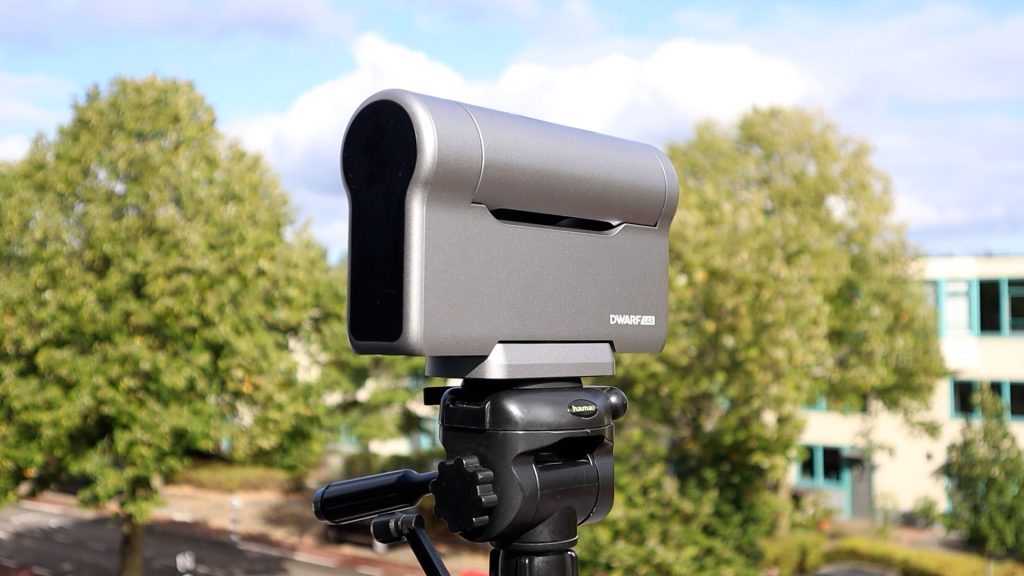
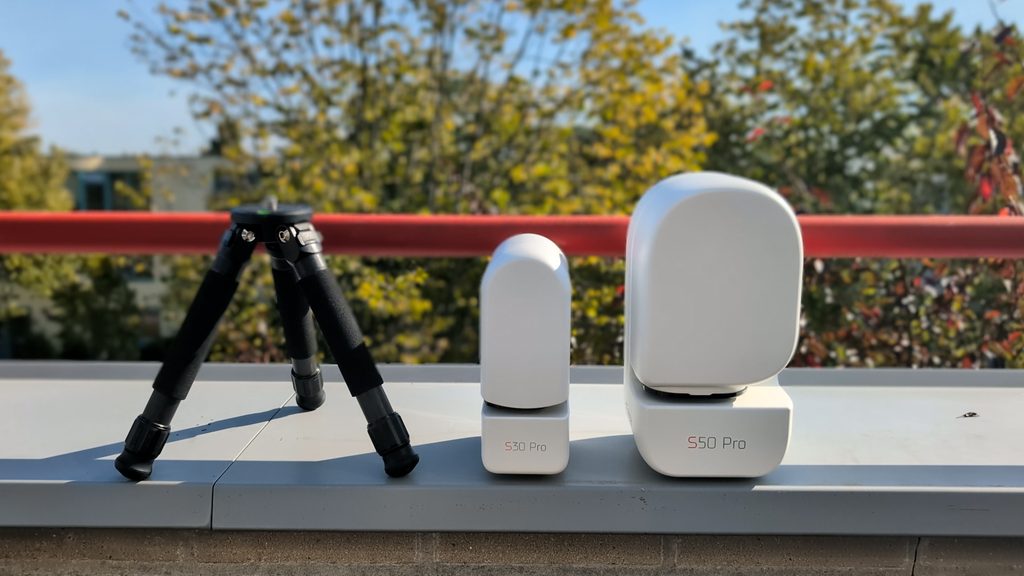
All Seestar smart telescopes come with a carrying bag or case, a small tripod, a solar filter, and a USB-C cable. Dwarflab’s DWARF Mini and DWARF 3 also include a solar filter, a USB-C cable, and a cleaning cloth. The DWARF 3 comes with a carrying bag, while the DWARF Mini does not — mainly because it is small enough to fit in a pocket. Neither the DWARF Mini nor the DWARF 3 includes a tripod. However, both use a standard photo tripod connection, allowing you to mount them on any regular camera tripod. The Seestar telescopes, on the other hand, use a thicker 3/8″-16 astronomy-style connection, which is standard in the astronomy world.
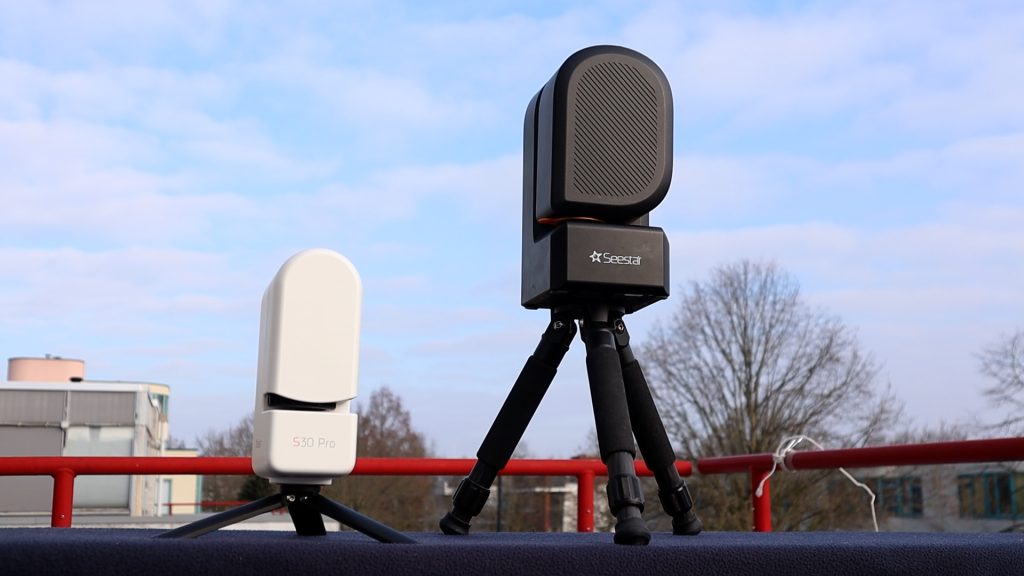
The Seestar tripods included with each of their smart telescopes are certainly decent—especially for travel—but they are small. I often use my larger iOptron telescope tripod instead with the Seestar telescopes so I don’t have to bend over to access the telescope.
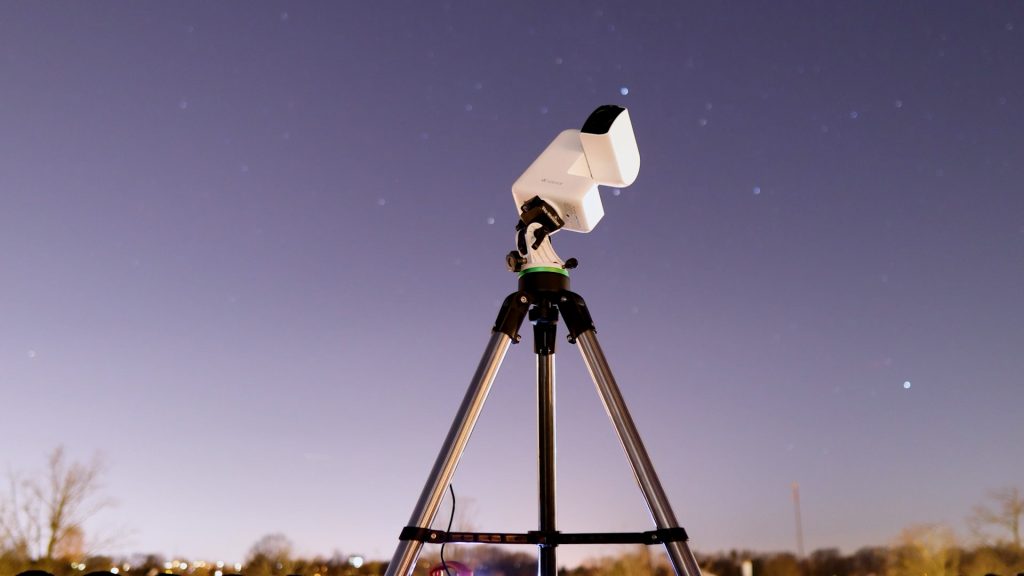
My iOptron Tripod is available at: Agena Astro (USA/WW): High Point (USA/WW), and Astroshop (EU/WW).
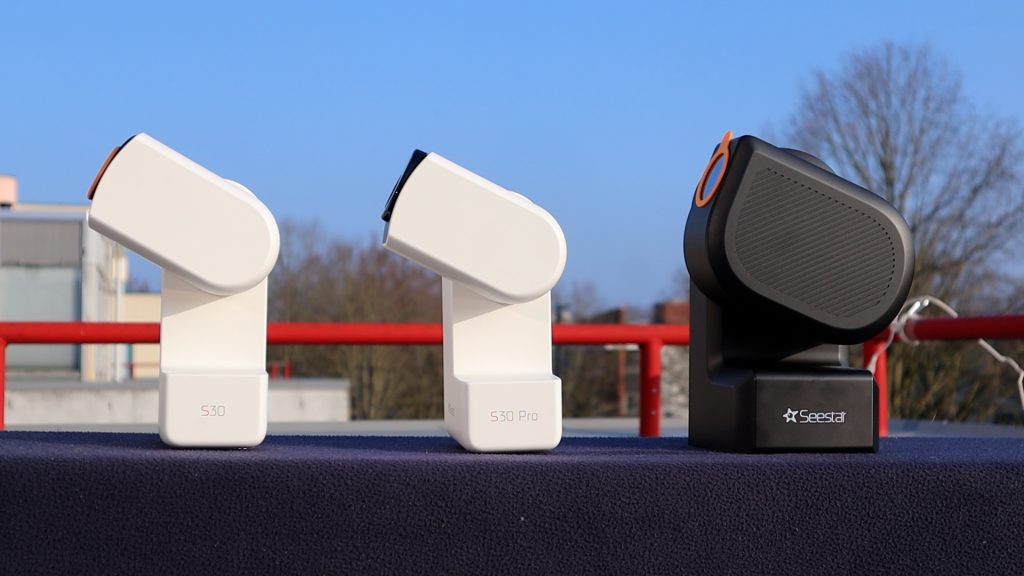
Design-wise, ZWO keeps things consistent. The S30 Pro looks almost identical to the S30, while the S50 Pro shares the same design in a larger form factor. The original S50—ZWO’s first smart telescope under the Seestar brand—follows the same overall design, but is finished in black instead of white.
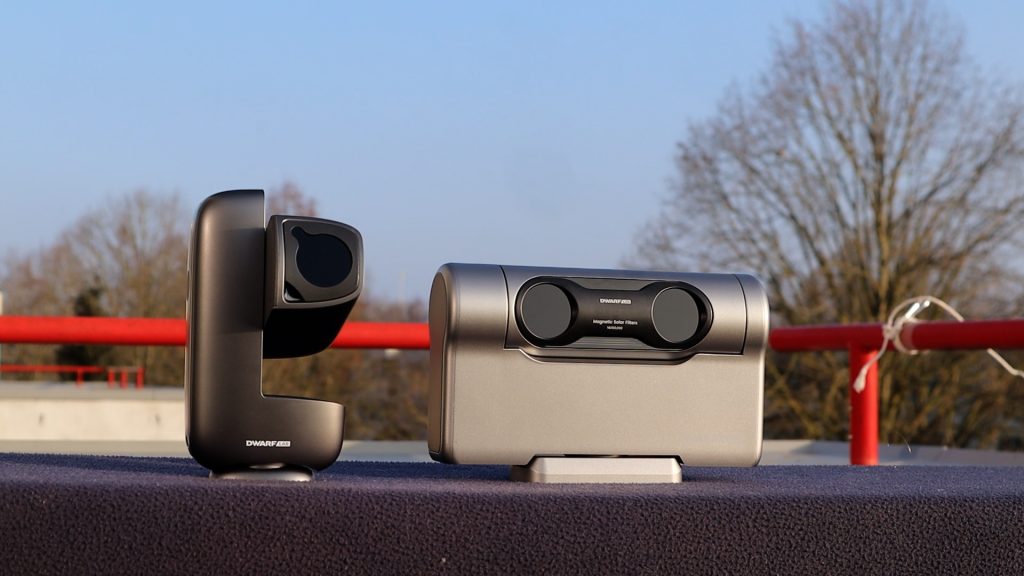
Dwarflab takes a completely different approach, using a more versatile silver design. The DWARF Mini is smaller than the S30 and fits in your pocket. The DWARF 3 has a very distinctive look that honestly reminds me a bit of the Pathfinder rover that landed on Mars back in the nineties, and the Draco also appears to have it’s own unique design.
Technical specifications
Telescope type
The DWARF and Seestar models all utilize apochromatic (APO) refractor telescope designs with Extra-low Dispersion (ED) glass to reduce chromatic aberration, with the exception of the Draco has a Maksutov-Cassegrain design.
🔭 Optical Designs Explained
Triplet APO
Uses three lens elements to align wavelengths and control color fringing across standard HD sensors.
Quadruplet APO
Adds a fourth element to flatten the focal plane and sharpen corner detail across larger 4K sensors.
Sextuplet APO
Uses six optical elements with built-in field correctors to deliver flat-field sharpness edge to edge.
Maksutov-Cassegrain
Folds light using mirrors and a corrector lens to pack a massive 90 mm aperture and 340 mm focal length into a compact body.
Field of View & Resolution
Choosing the right smart telescope often comes down to finding the ideal frame for your night sky objects. Three key concepts determine how big and how sharp your images will look like:
- Field of View (FOV): The total area of sky your telescope frames at once (measured in degrees). A wider FOV lets you capture massive objects like the Orion, North America Nebulae, or the Andromeda Galaxy, while a narrower FOV zooms in on smaller objects like craters on the Moon, or the Whirlpool Galaxy.
- Image Scale: Measured in arcseconds per pixel (″/px), this defines how much sky a single pixel covers based on your camera’s pixel size and focal length. A smaller number means finer sampling across objects like the Moon to reveal it’s craters or small galaxies.
- Dawes’ Limit (Optical Resolution): Calculated as 116 / Aperture (in mm) and expressed in arcseconds (″), this represents the theoretical limit of fine detail your telescope’s glass can physically resolve (such as separating close double stars or fine lunar craterlets).
Here is how the key specifications compare side by side across these popular smart telescopes:
| Telescope | Optics & Sensor | FOV & Mode | Image Scale | Dawes’ Limit | Moon Span |
|---|---|---|---|---|---|
| Seestar S30 | 30mm / 150mm (2MP) | 2.13° × 1.20° HD (Portrait) | 3.99″/px | 3.87″ | ~451 px |
| Seestar S30 Pro | 30mm / 160mm (8MP) | 2.26° × 3.98° 4K (Portrait) | 3.75″/px | 3.87″ | ~480 px |
| Seestar S50 | 50mm / 250mm (2MP) | 0.70° × 1.30° HD (Portrait) | 2.39″/px | 2.32″ | ~753 px |
| Seestar S50 Pro | 50mm / 260mm (8MP) | 1.58° × 2.80° 4K (Portrait) | 2.30″/px | 2.32″ | ~782 px |
| Dwarf Mini | 30mm / 150mm (2MP) | 2.13° × 1.20° HD (Landscape) | 3.99″/px | 3.87″ | ~451 px |
| Dwarf 3 | 35mm / 150mm (8MP) | 2.90° × 1.70° 4K (Landscape) | 2.75″/px | 3.31″ | ~654 px |
| Dwarf Draco | 90mm / 340mm (50MP) | 1.65° × 1.24° 4K (2×2 binned) | 1.45″/px (2×2) | 1.29″ | ~1240 px |
When evaluating smart telescopes in terms of Field of View, optical resolution (Dawes’ limit), and digital image scale, we reach the following conclusions:
- Optical Detail (Aperture): The Dwarf Draco (90 mm) leads in pure physical resolving power with a Dawes’ limit of 1.29″, followed by the 50 mm Seestar S50 & S50 Pro at 2.32″, and the 35 mm Dwarf 3 at 3.31″. The 30 mm models—Seestar S30, Seestar S30 Pro, and Dwarf Mini—share an optical limit of 3.87″.
- Digital Detail (Image Scale): The Dwarf Draco offers the finest digital sampling at 1.45″/px (binned 2×2), followed by the S50 models—the Seestar S50 Pro at 2.30″/px and the discontinued Seestar S50 at 2.39″/px. The Dwarf 3 follows at 2.75″/px, while the 30 mm models (S30, S30 Pro, and Dwarf Mini) use coarser sampling (3.75″–3.99″/px).
- Framing & Coverage: The Seestar S30 Pro captures the widest vertical field of view (2.26° × 3.98°), whereas the Dwarf 3 (2.90° × 1.70°) and Dwarf Mini (2.13° × 1.20°) shoot in landscape mode. The Seestar S50 Pro (1.58° × 2.80°) balances a broad 4K portrait frame with a tight 2.30″/px image scale, while the original Seestar S50 (0.70° × 1.30°) offers the most compact framing.
Understanding how these specifications translate into real-world framing can be tricky if you aren’t used to converting degrees and image scales in your head. To make things simple, the interactive FOV comparison tool below overlays every telescope’s exact sensor frame directly onto real night sky objects—ranging from compact targets like Jupiter (0.01°) and the Whirlpool Galaxy (0.19°), to standard references like the Full Moon (0.5°), up to massive structures like the Orion Nebula (1.1° × 2.1°) and the Andromeda Galaxy (3.2° × 1.0°).
Explore my experimental Field of View App and compare every smart telescope’s viewing size!
Dwarflab vs Seestar APP
Both the DwarfLab app and the Seestar app can be downloaded on any iOS or Android device, allowing you to wirelessly control your smart telescope over Wi-Fi.
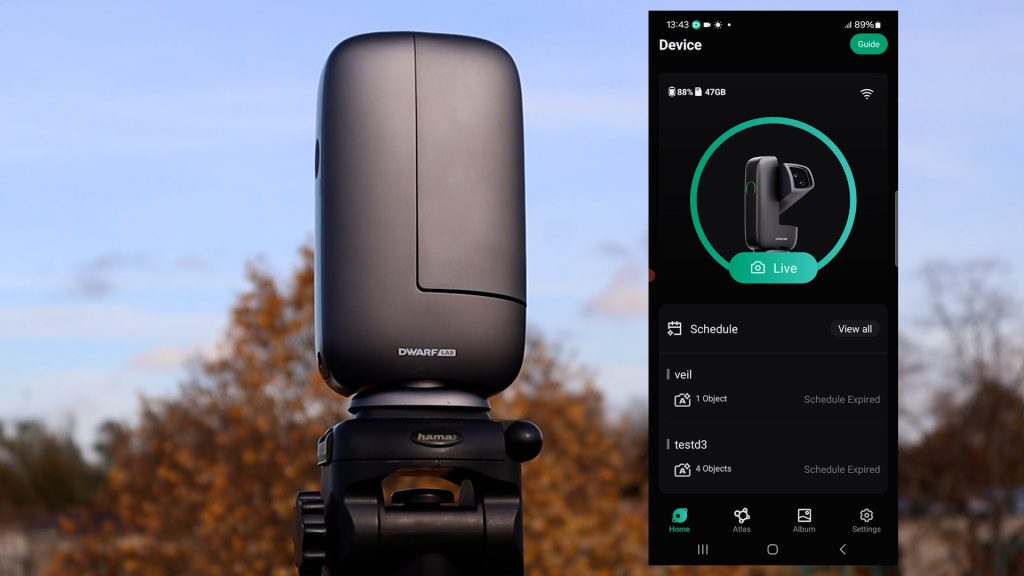
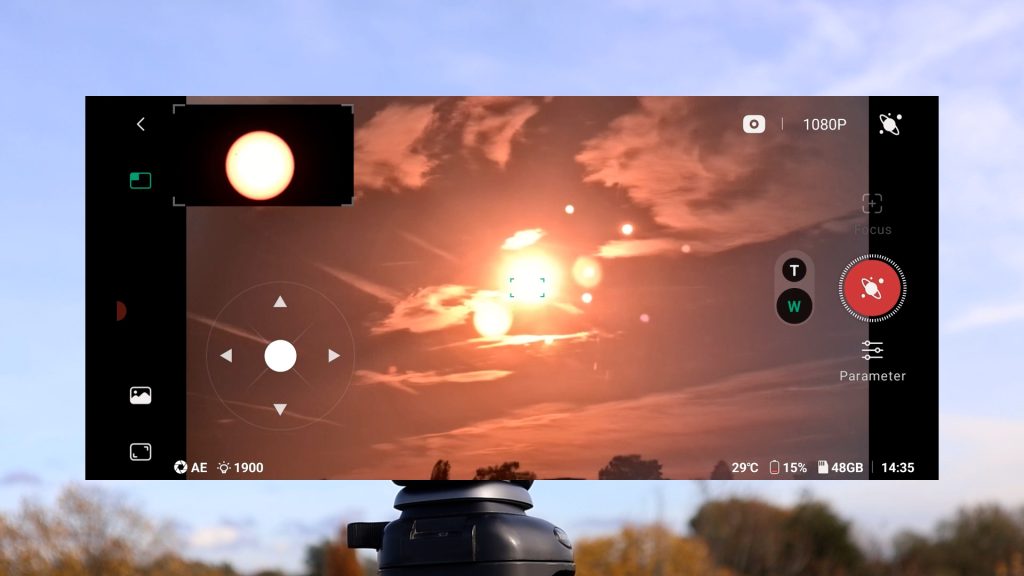
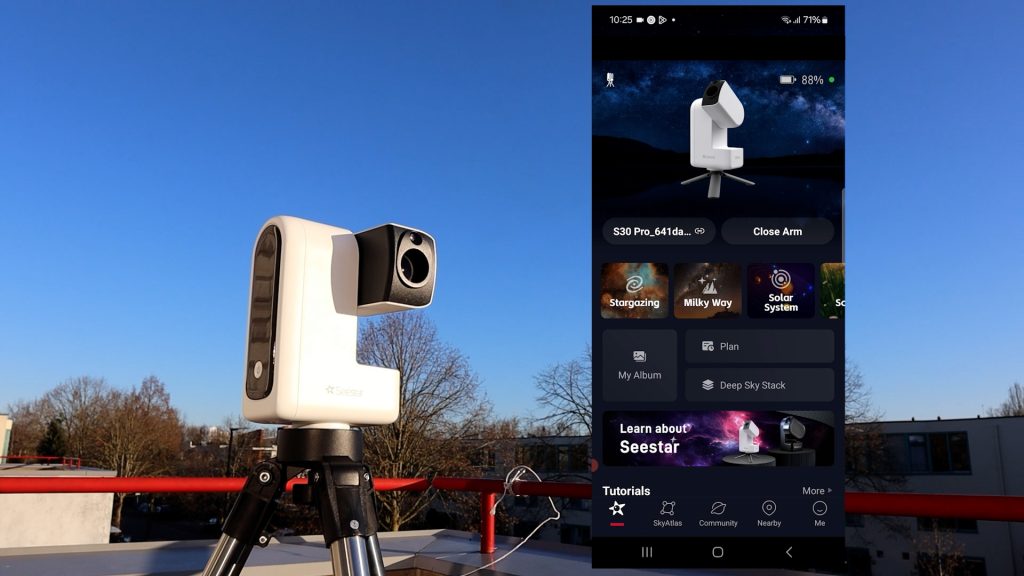
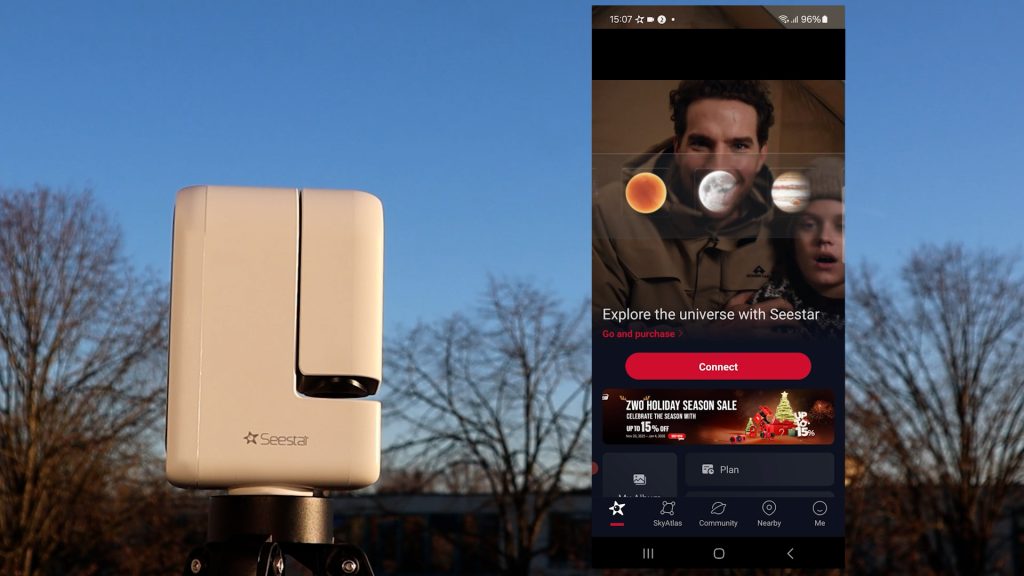
Both apps are very user-friendly and offer similar functionality. When you open the Seestar app, you’re greeted by a clear home screen with several dedicated modes: Stargazing for deep-sky imaging, Solar System for capturing the Sun, Moon, and planets, and Scenery for daytime photos, videos, and timelapses. On the S30 Pro and S50 Pro, there’s also a Milky Way mode designed for wide-field Milky Way photography and star trails. In addition, the Seestar app includes an interactive sky atlas, making it easy to find virtually any object in the night sky.
By comparison, the DwarfLab app is a bit more hands-on. When tapping live it immediately displays the live view from the Dwarf 3 on your smart device. However, the latest version of the app also adds dedicated modes for general daytime use, which includes taking photos, videos, and timelapses, solar system mode to capture the sun, moon and the planets, and a deep-sky mode for astrophotography, along with an interactive sky atlas to help you find objects of interest in space. You can simply select an object, tap the photo button, and the telescope will automatically locate and track it in the night sky.
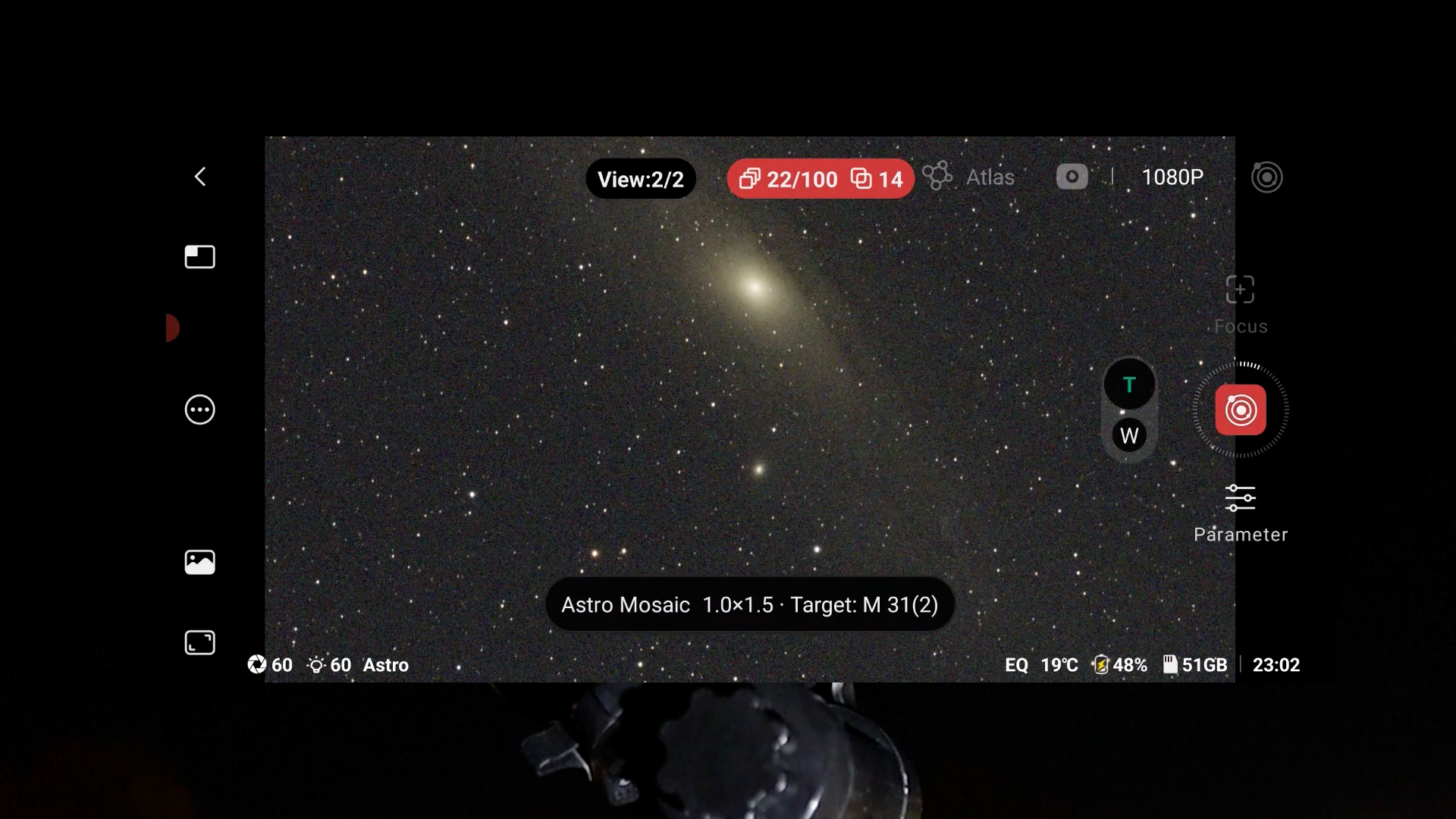
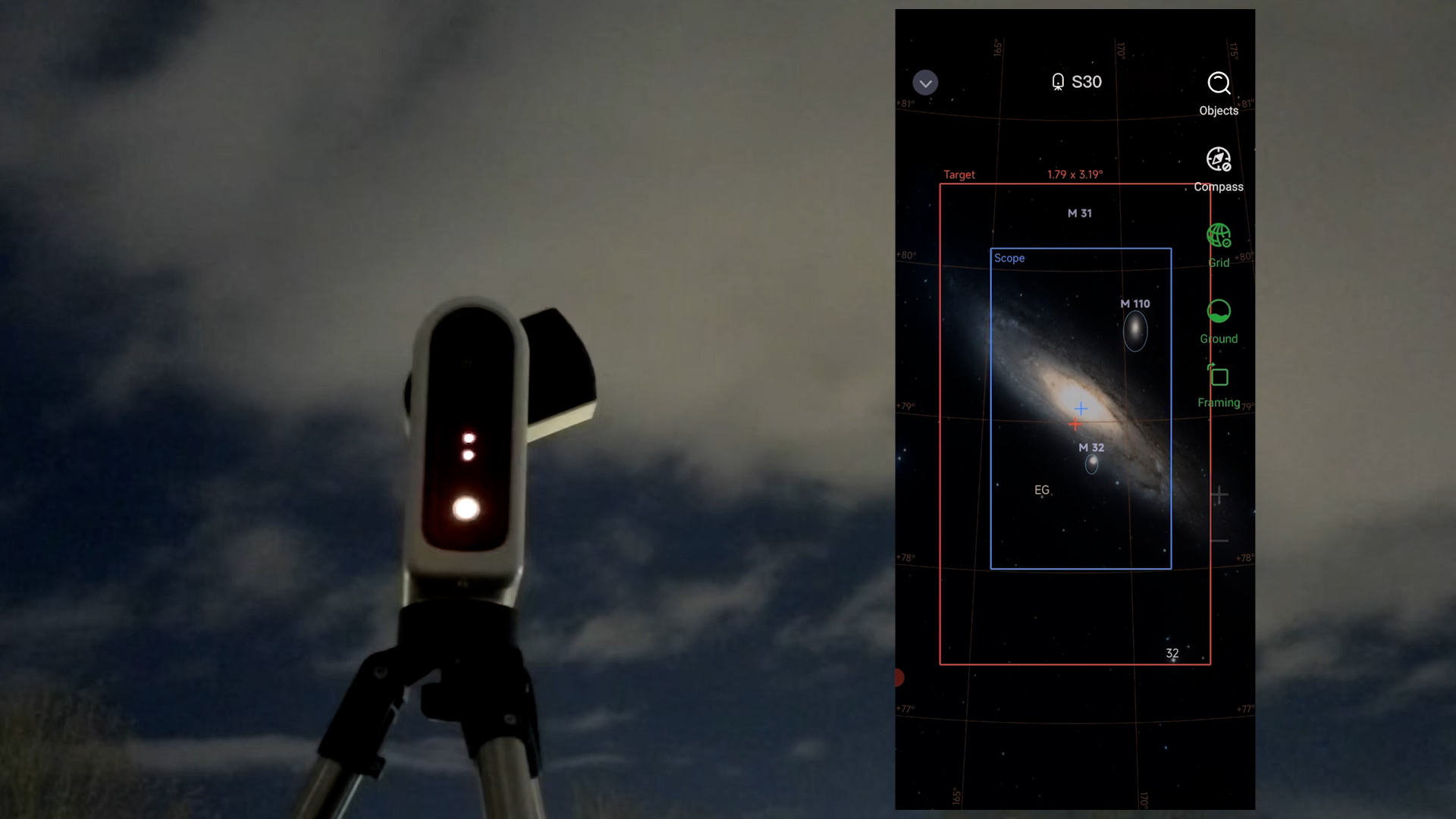
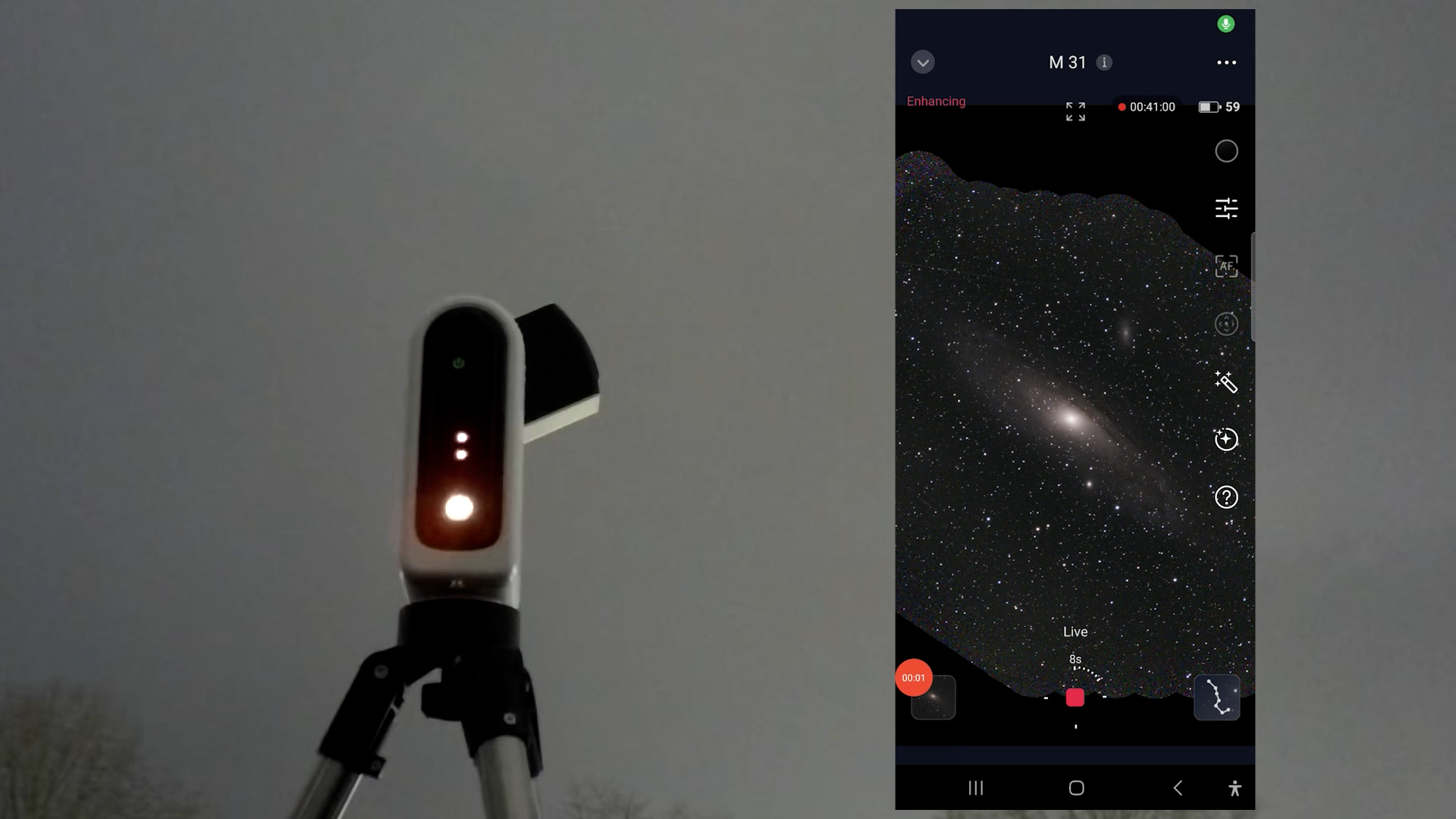
Both apps offer a solid range of extra features, including an optional EQ mode for longer exposure imaging, a built-in photo editing, the ability to connect the telescope to your home Wi-Fi network for indoor control, and a planning mode to automate your imaging session. It also features a mosaic mode to capture a portion of the night sky up to twice as large as the native field of view. Overall, both apps are user-friendly and provide plenty of options for capturing and editing photos and videos. I wouldn’t say there’s a clear winner when it comes to the app experience.
Solar and Lunar Imaging
Alright, let me show you some real life images, starting with the Sun and the Moon. First, never look directly at the Sun and always use a proper solar filter. The Dwarf 3, Dwarf Mini, and Seestar S30, S30 Pro, and S50 Pro all have magnetic solar filters, making them quick and easy to attach. The Seestar S50’s filter is not magnetized, so it takes a bit more care to position it in front of the lens. The new Draco will feature a built-in solar filter in the standard edition, but swaps it for an Sii/Oiii narrowband filter in the SHO edition.
All smart telescopes except the discontinued Seestar S50 include a wide-field lens to help locate solar system objects like the Sun or the Moon in the sky. In the Dwarflab app, tapping the live button opens a live view from both the wide-field and telephoto lenses, allowing you to center the Sun using on-screen slew controls. In the Seestar app, you can select the Sun from the solar system menu and initiate a GoTo command after which the telescope automatically slews to the sun. A second option is to use the joystick controls in solar system mode to manually slew the telescope to the Sun or the Moon.
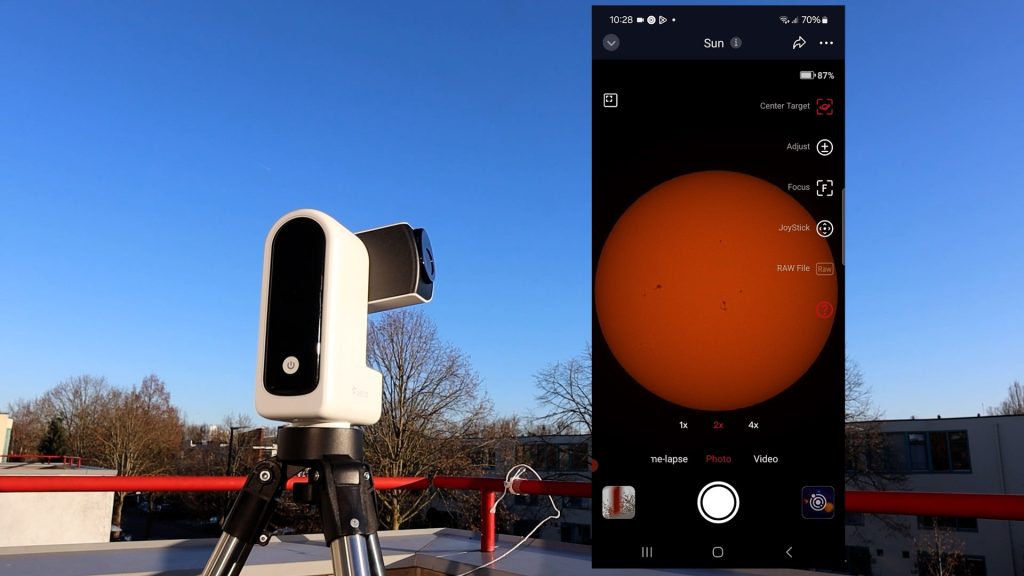
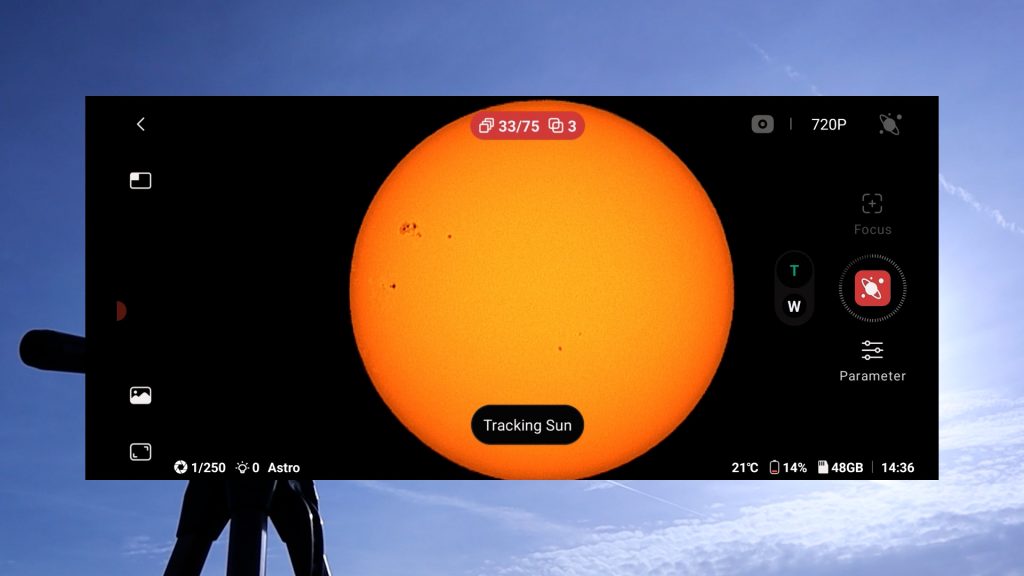
Once centered, both APPS offer automatic solar tracking, autofocus, and you can adjust your exposure and gain. You can capture photos, record videos, or create timelapses to capture longer events like solar and lunar eclipses, making both apps very beginner-friendly.
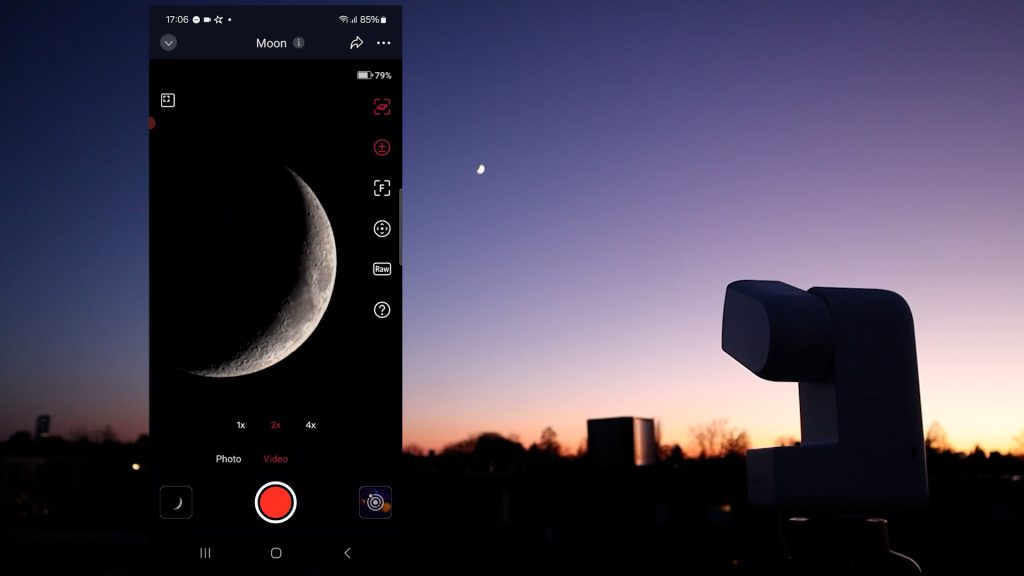
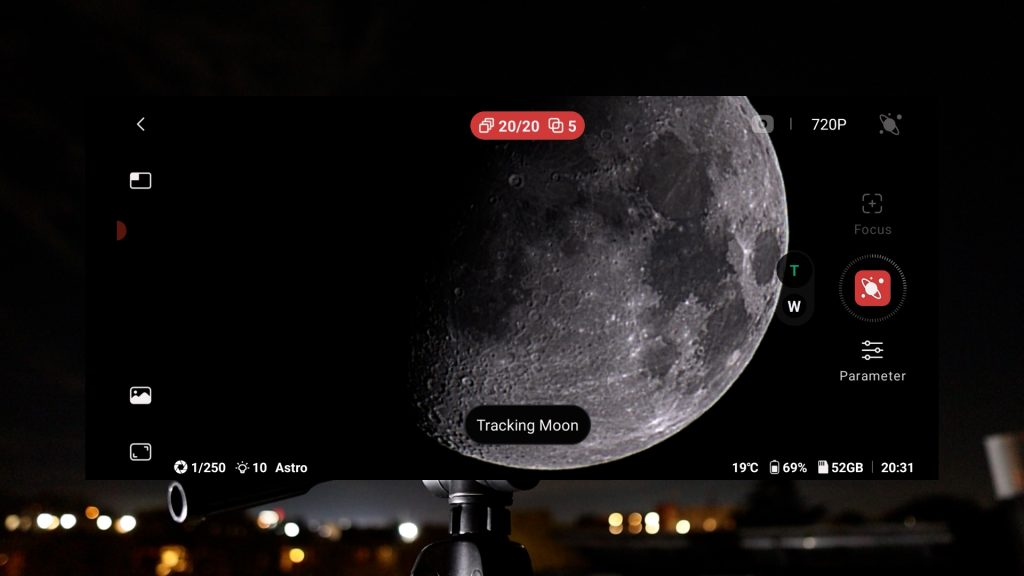
One feature I really like in the Dwarflab app is its automatic in-app stacking for solar system objects. It helps reduce atmospheric turbulence and brings out finer details, like sunspots on the Sun or craters on the Moon.
The Seestar app relies on recording solar system objects like the sun and moon in high-quality RAW AVI videos, and there are in-app stacking and editing option available in the “my album” section of the app. However, in-app stacking is relatively slow, so I’d advise to limit your AVI RAW videos to 30 seconds when planning on doing in-app stacking with the Seestar.
For the best results, you can download the RAW Seestar videos and the 16-bit Fits files from Dwarflab and use free software like like AutoStakkert and Wavesharp to process your solar system images.
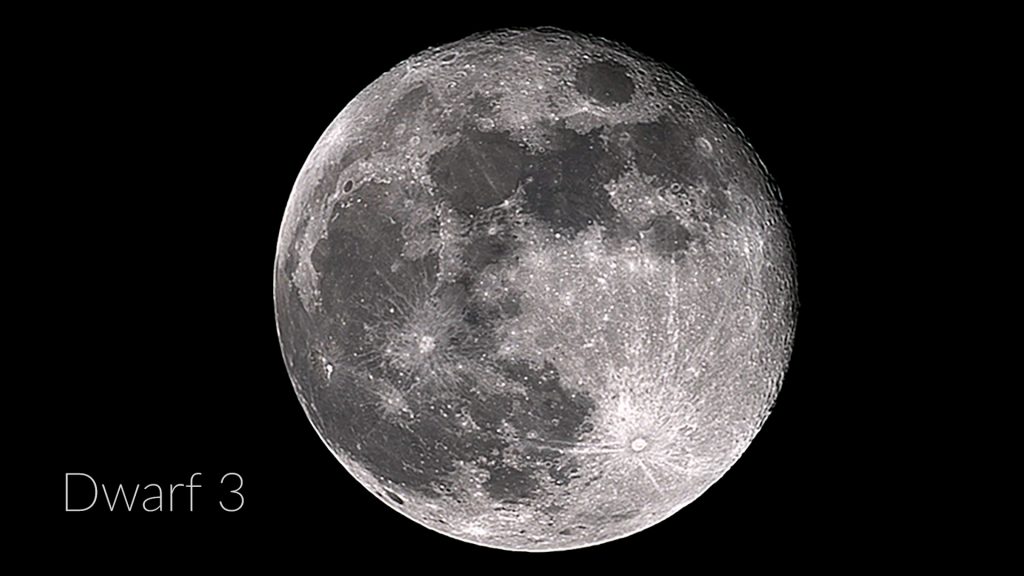
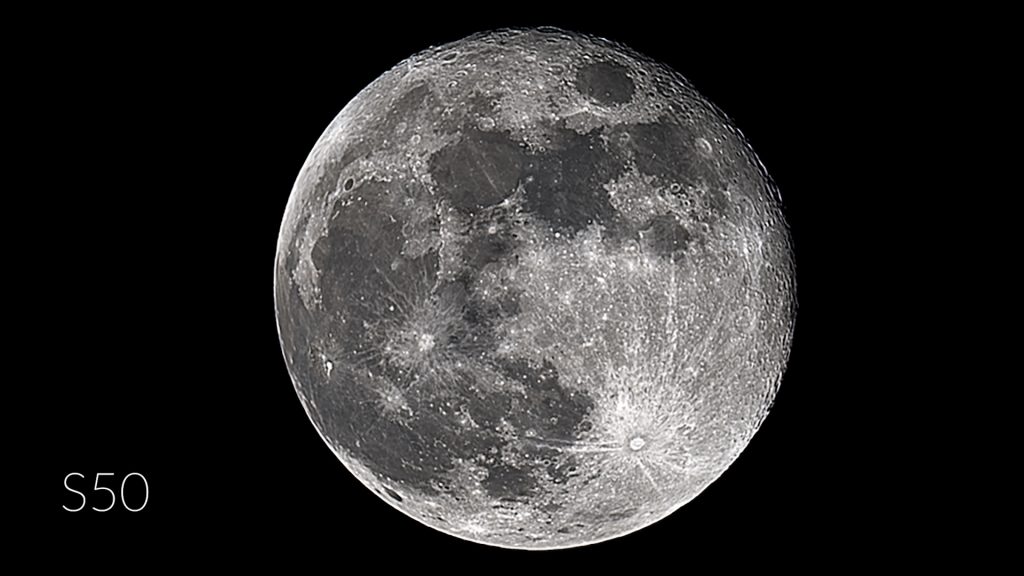
Here are some stacked images of the full moon and the sun taken on the same day from all telescopes.
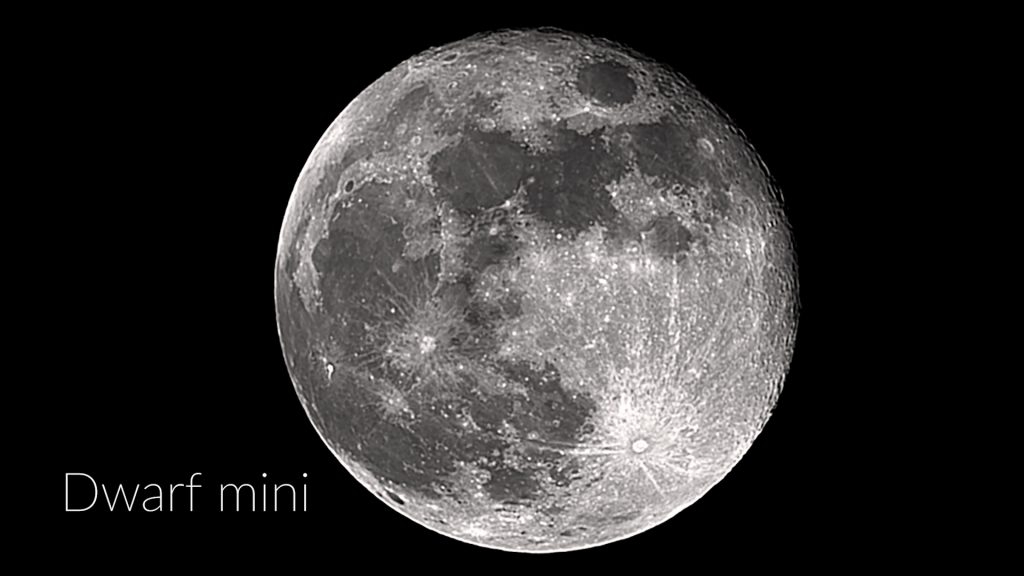
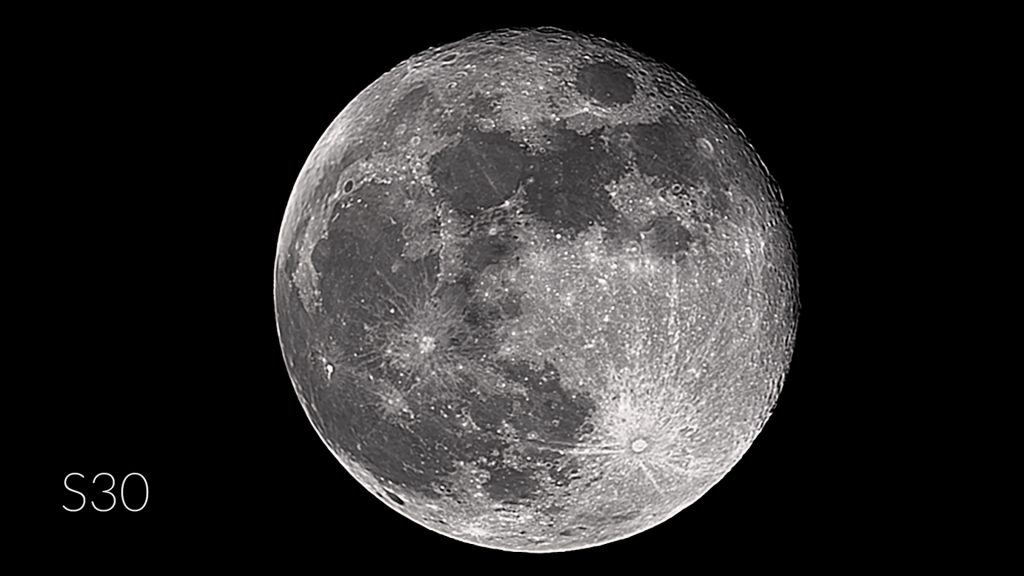
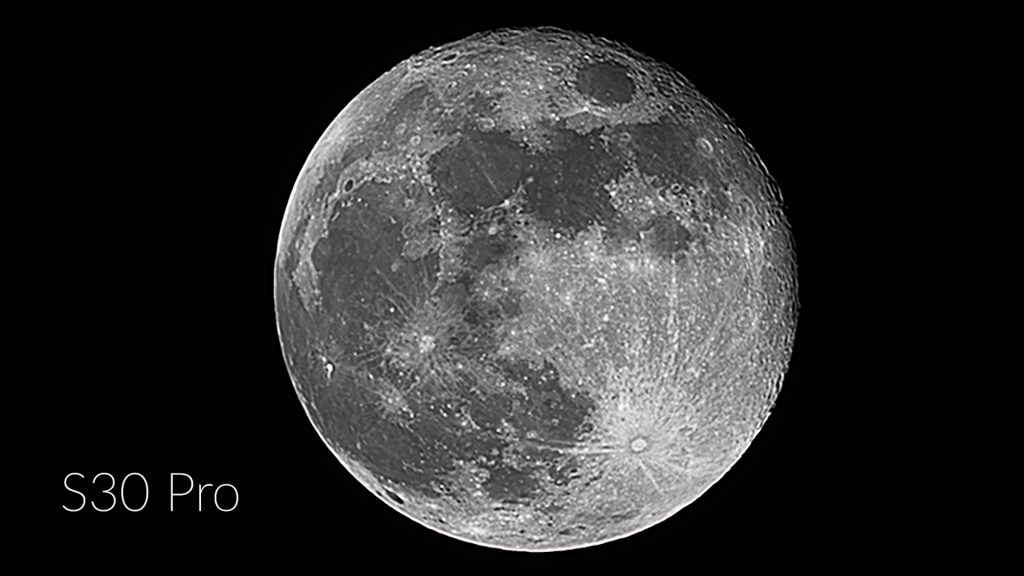
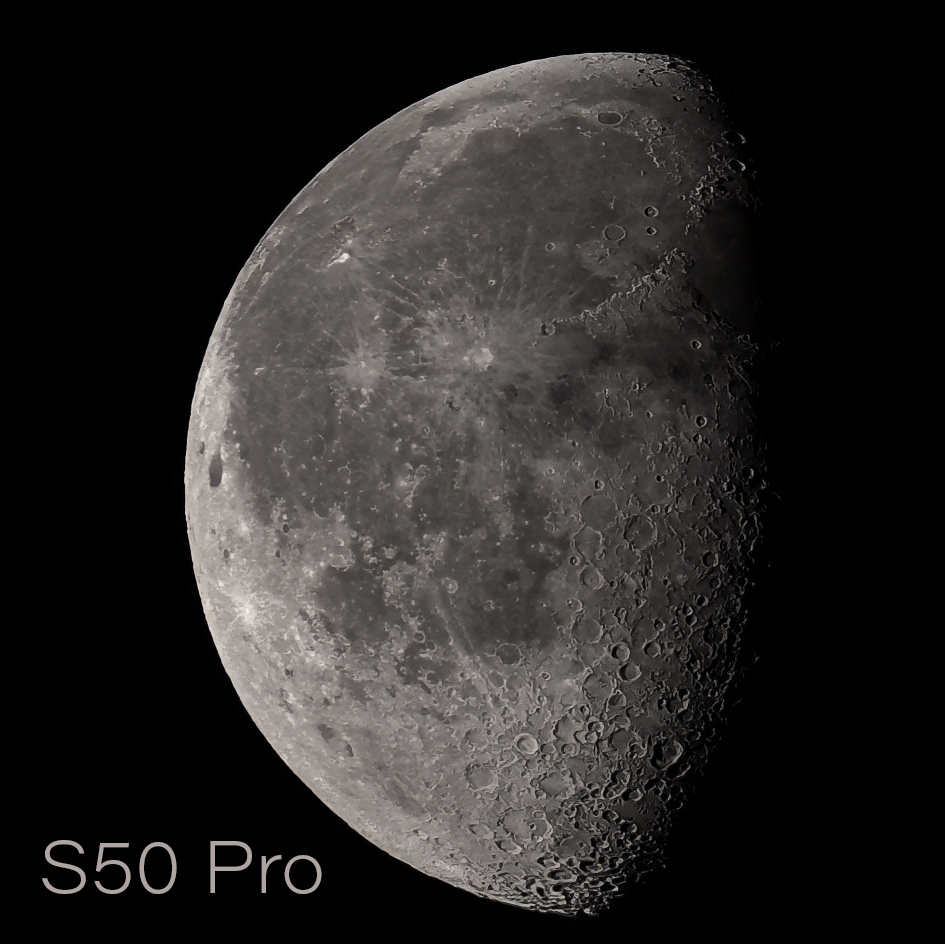
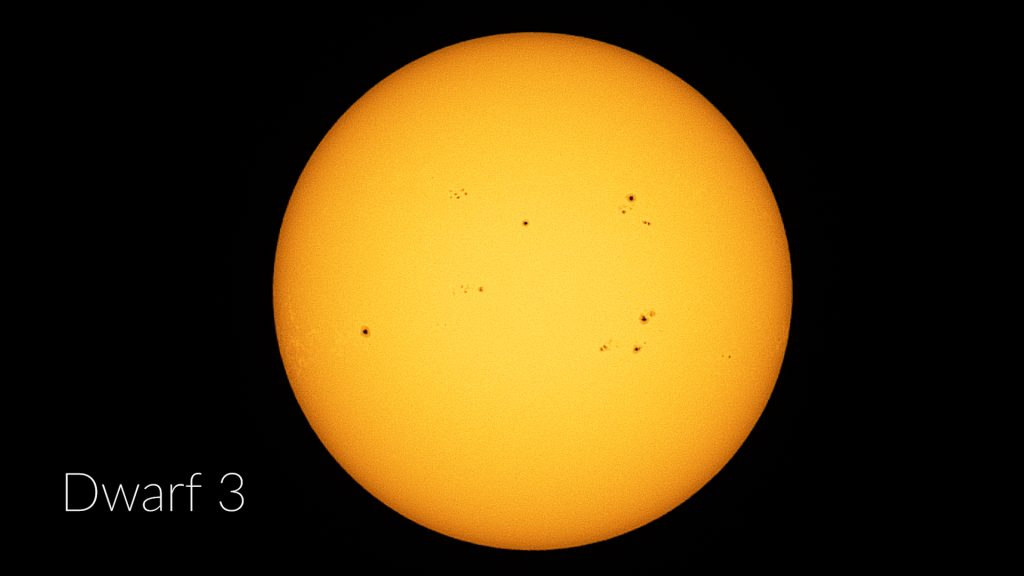
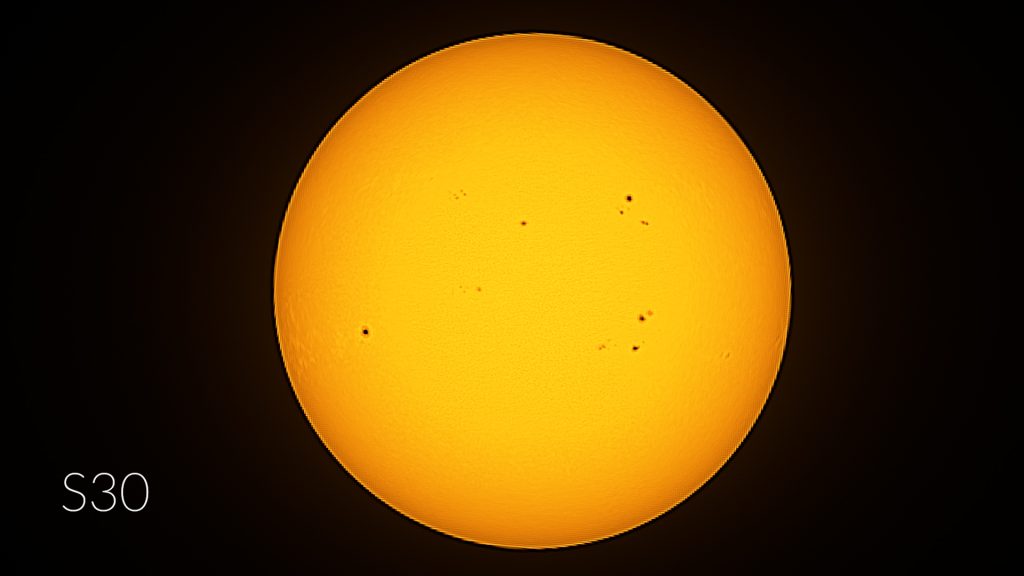
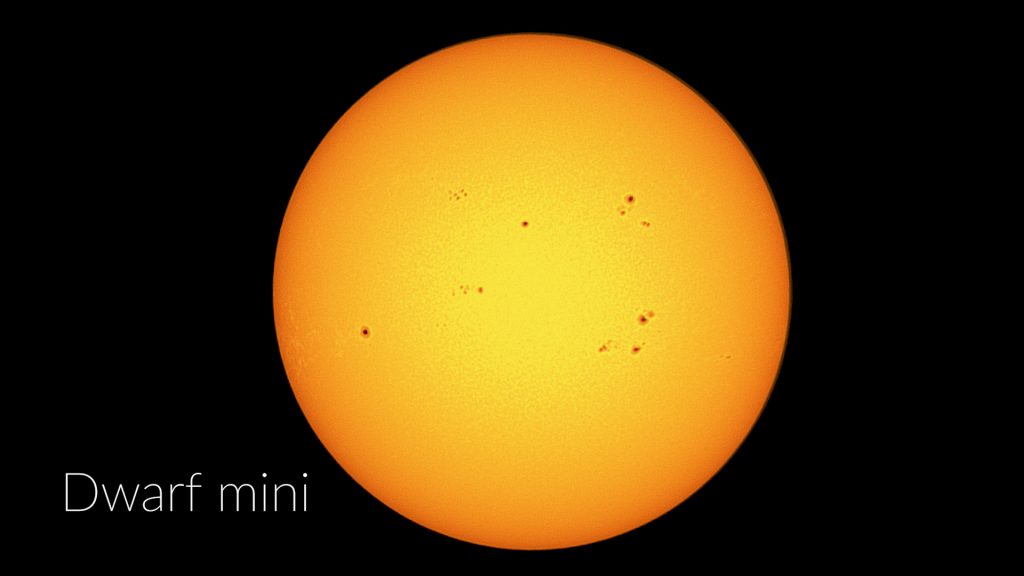
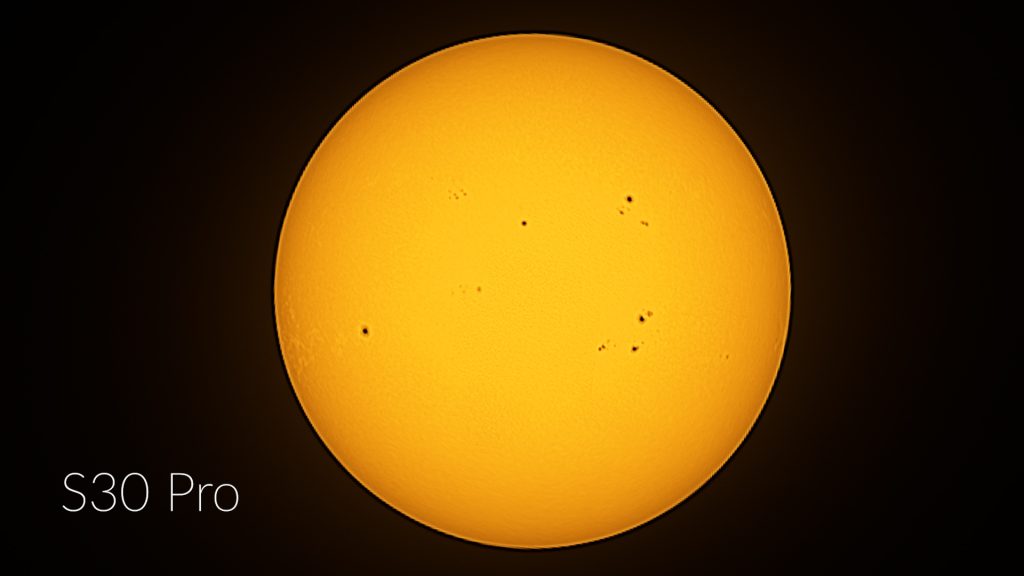
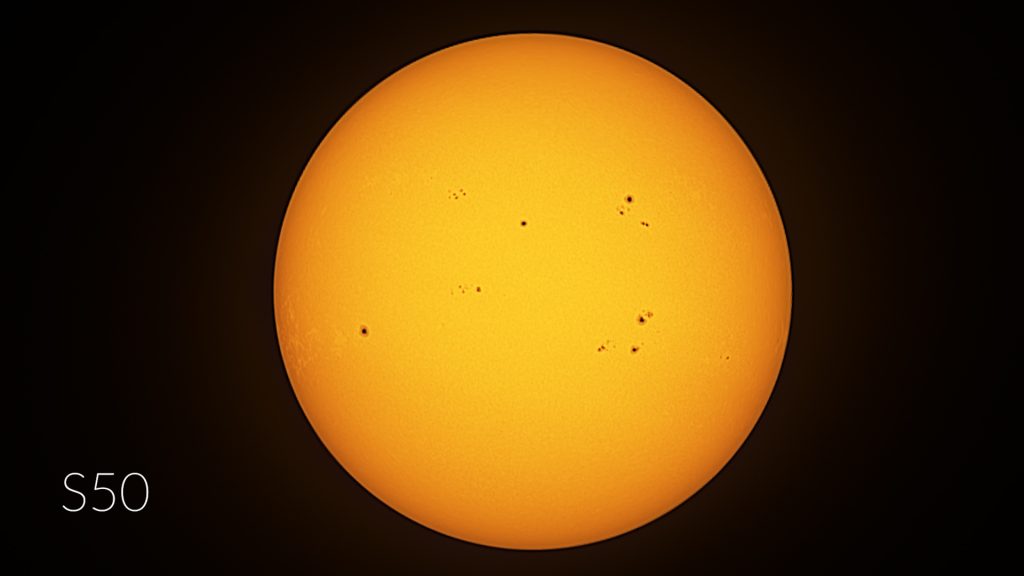
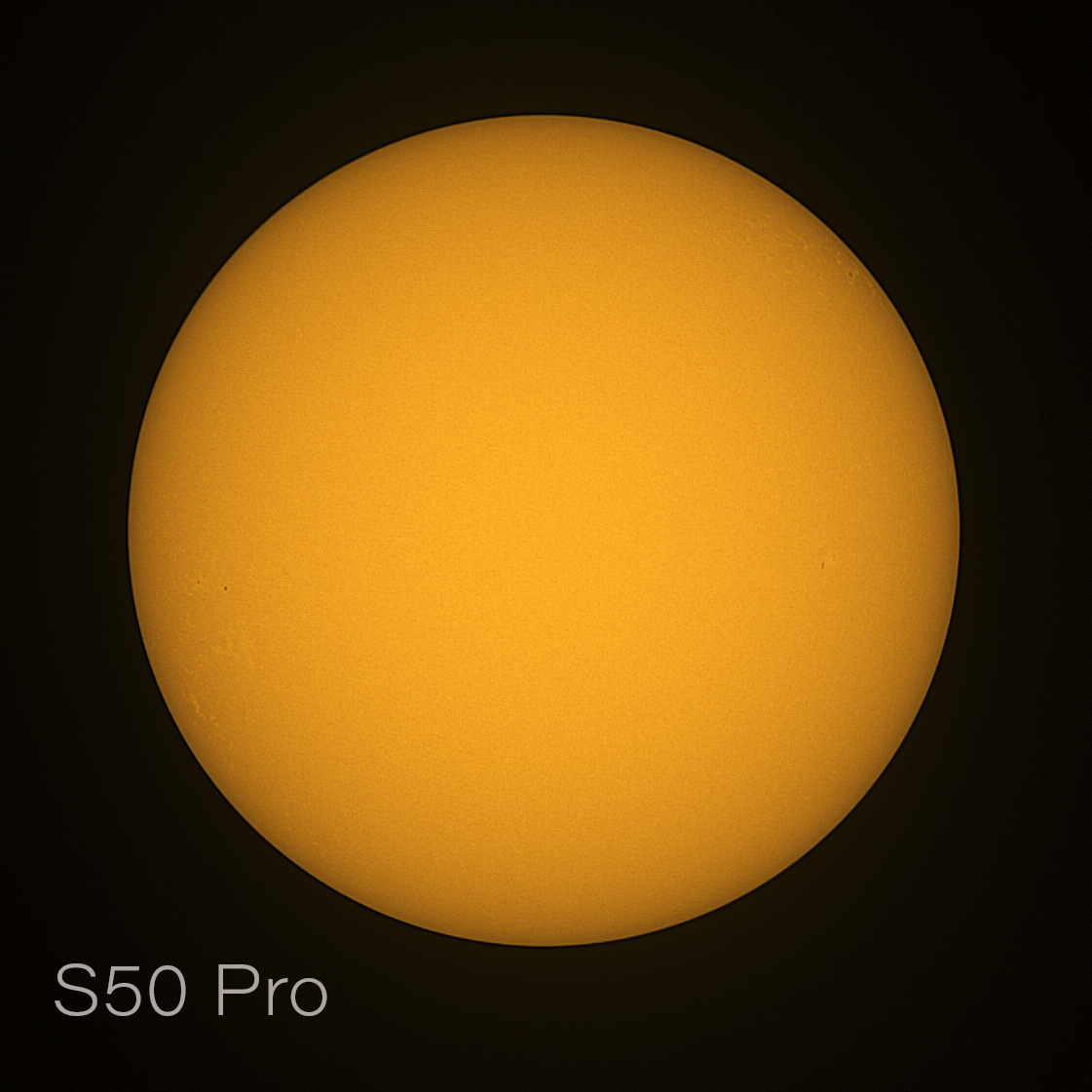
I’ve added two photos taken with the Seestar S50 Pro—one of the Moon captured at a different phase and time, and one of the Sun (unfortunate timing with zero sunspots!).
Out of the entire lineup, the S50 Pro is the winner. Its upgraded camera sensor and larger 50 mm aperture combine to deliver the sharpest, most detailed solar and lunar images. The rest of the pack is fairly close, but the original S50 still outperforms the DWARF 3, DWARF Mini, and Seestar S30 for the exact same reasons. When it comes to solar system imaging, the age-old rule holds true: aperture is king.
Deep Sky Astrophotography
Both apps offer multiple ways to engage in deep-sky astrophotography. The Dwarflab app includes a virtual sky atlas and a deep-sky menu where users can explore and select objects such as nebulae, galaxies, and star clusters. In deep-sky mode, a simple tap on the photo icon slews the telescope to the selected target. The app also features a scheduling tool that allows you to plan and automate your imaging session by selecting specific objects at set times.
Similarly, the Seestar app organizes objects into categories such as “Tonight’s Best,” galaxies, nebulae, and star clusters. Like the Dwarflab app, it includes a virtual sky atlas and a planning feature to automate imaging throughout the night. Select your objects, tap GoTo, and the telescope begins capturing and stacking images.
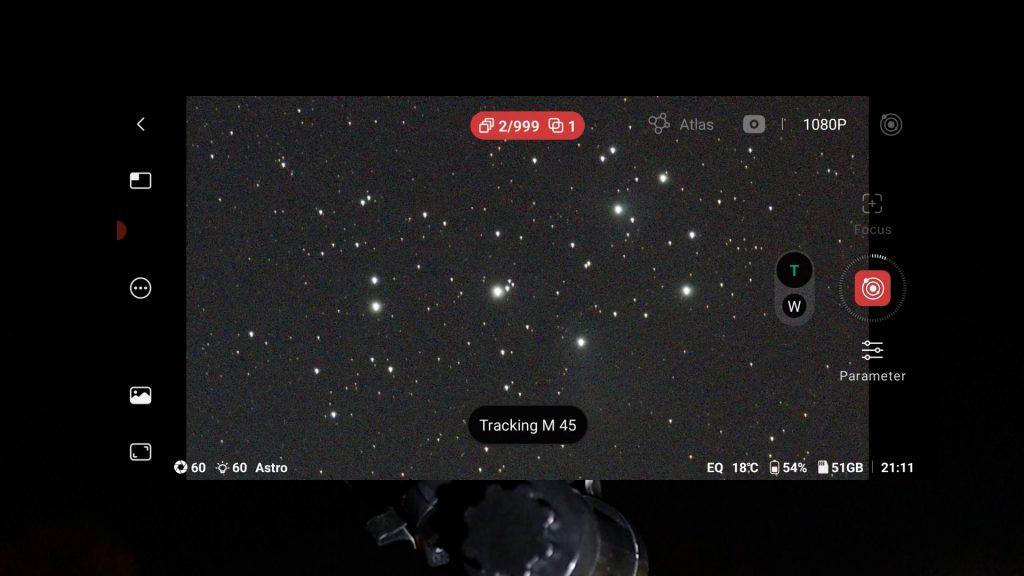
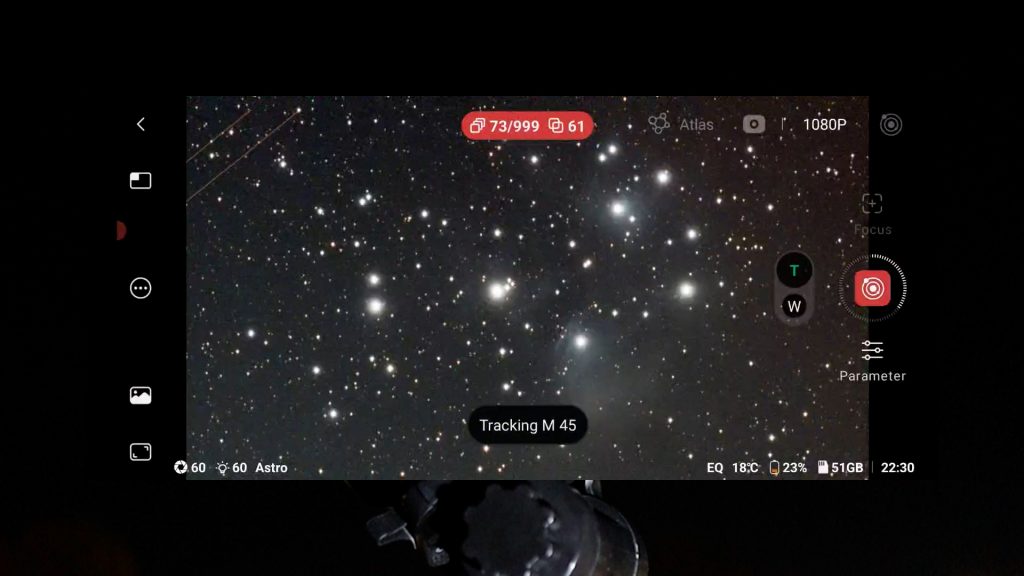
The capture process is very similar on both APPs. After selecting an object, the telescope slews to it, calibrates, and starts stacking images to improve detail. As each frame is added, the signal-to-noise ratio increases, making faint details more visible. Just sit back and watch the image gradually improve as more frames are stacked.
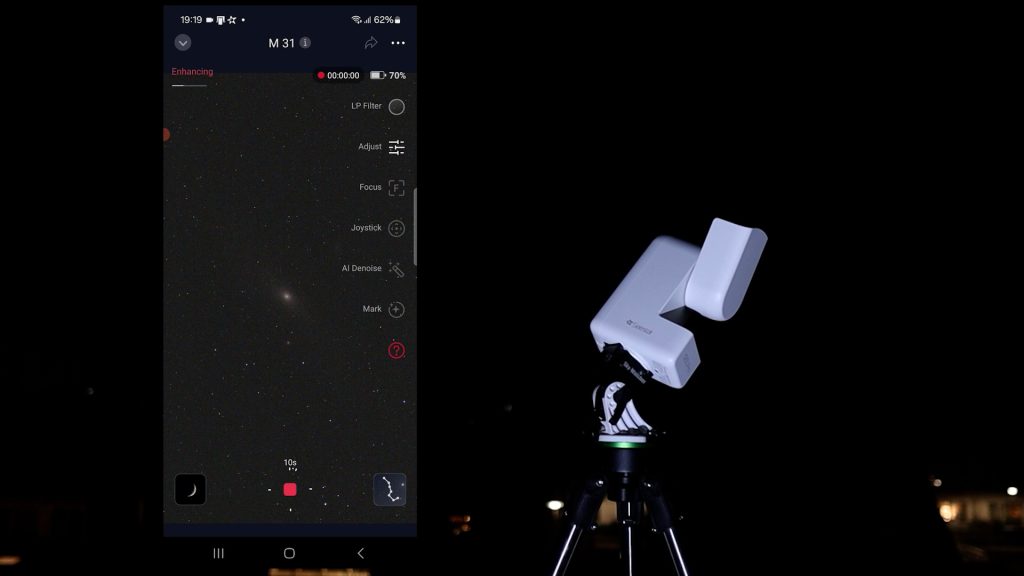
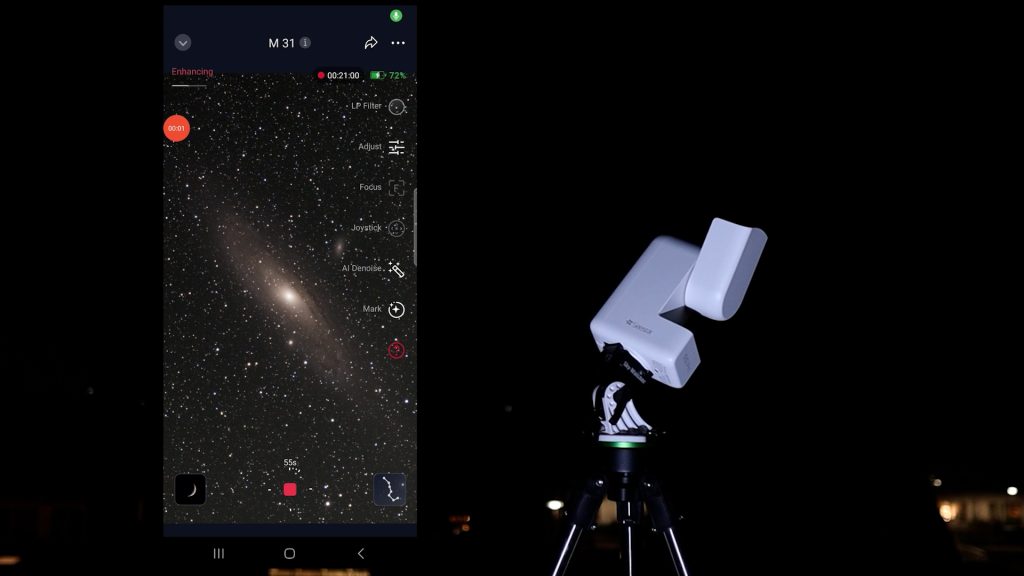
EQ mode Test
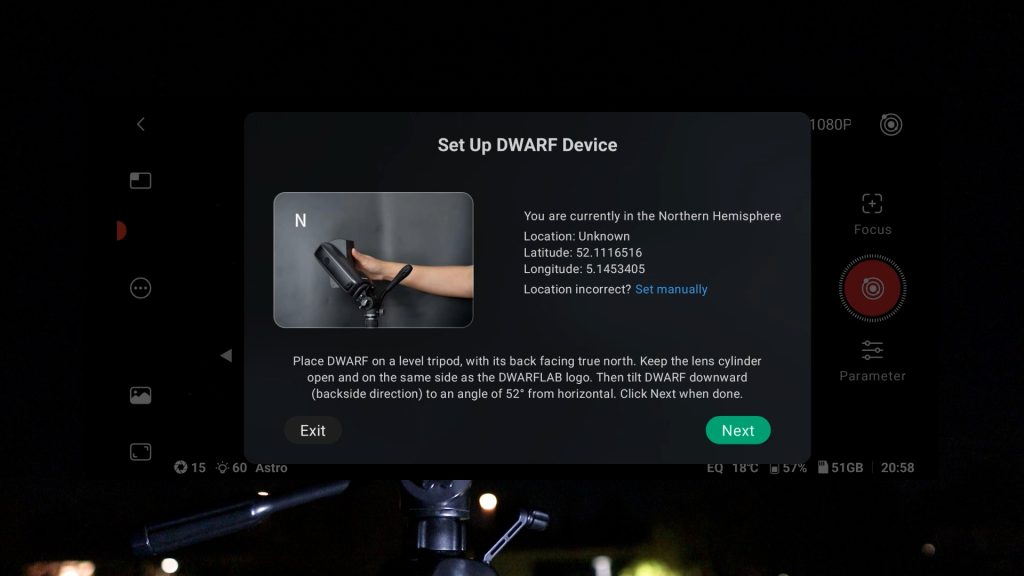
One excellent feature shared by both Dwarflab and Seestar smart telescopes is EQ mode, which allows you to polar-align the mount with the celestial pole. While polar alignment requires extra setup—Seestar users generally need an optional equatorial wedge, and Dwarflab telescopes require a tiltable tripod—it dramatically improves image quality over standard Alt-Az tracking.
Standard Alt-Az mode limits exposures to roughly 10 seconds and introduces field rotation, which distorts star shapes along the edges of stacked frames over time. By aligning with Earth’s rotational axis in EQ mode, the telescope tracks objects in a smooth arc across the night sky, eliminating field rotation and enabling significantly longer exposures to reveal much fainter deep-sky details.
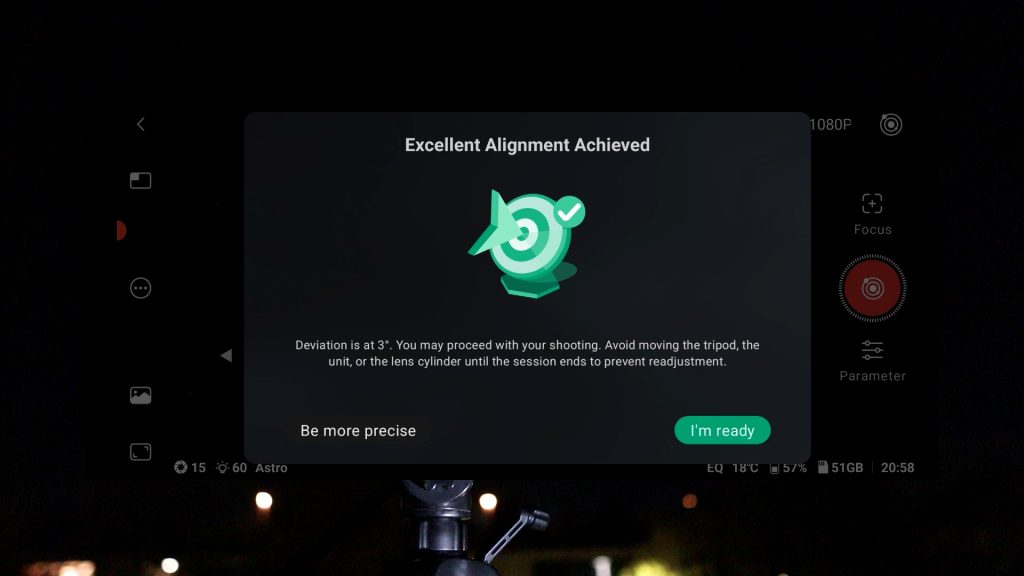
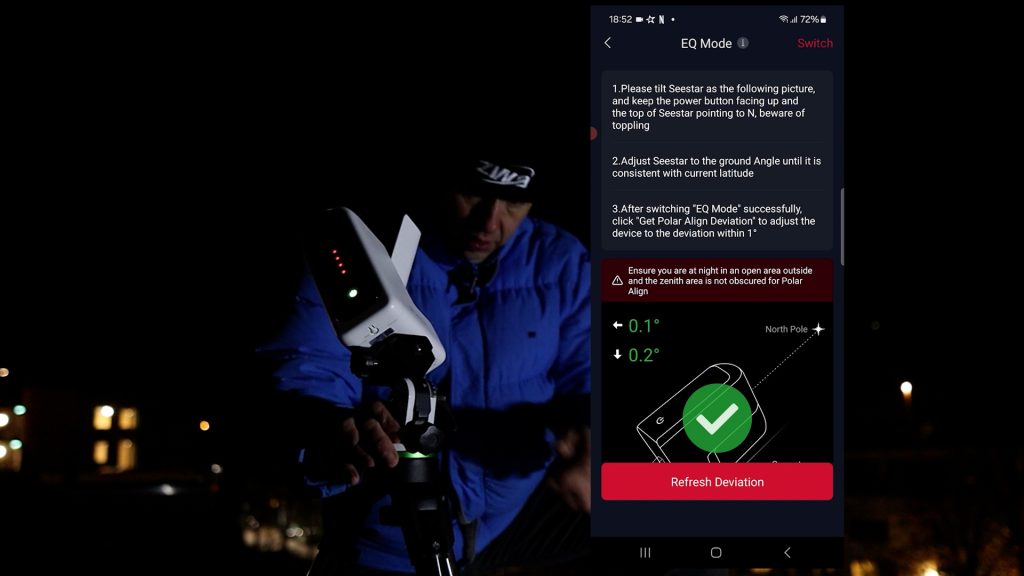
Historically, the Dwarflab app was slightly more forgiving during frame stacking, typically keeping around 90% of captured frames compared to roughly 80% on Seestar. However, recent Seestar app updates have noticeably improved its tracking and reduced dropouts significantly. Ultimately, actual rejection rates on both systems still depend heavily on local conditions like wind, clouds, and sky clarity.
Mosaic feature
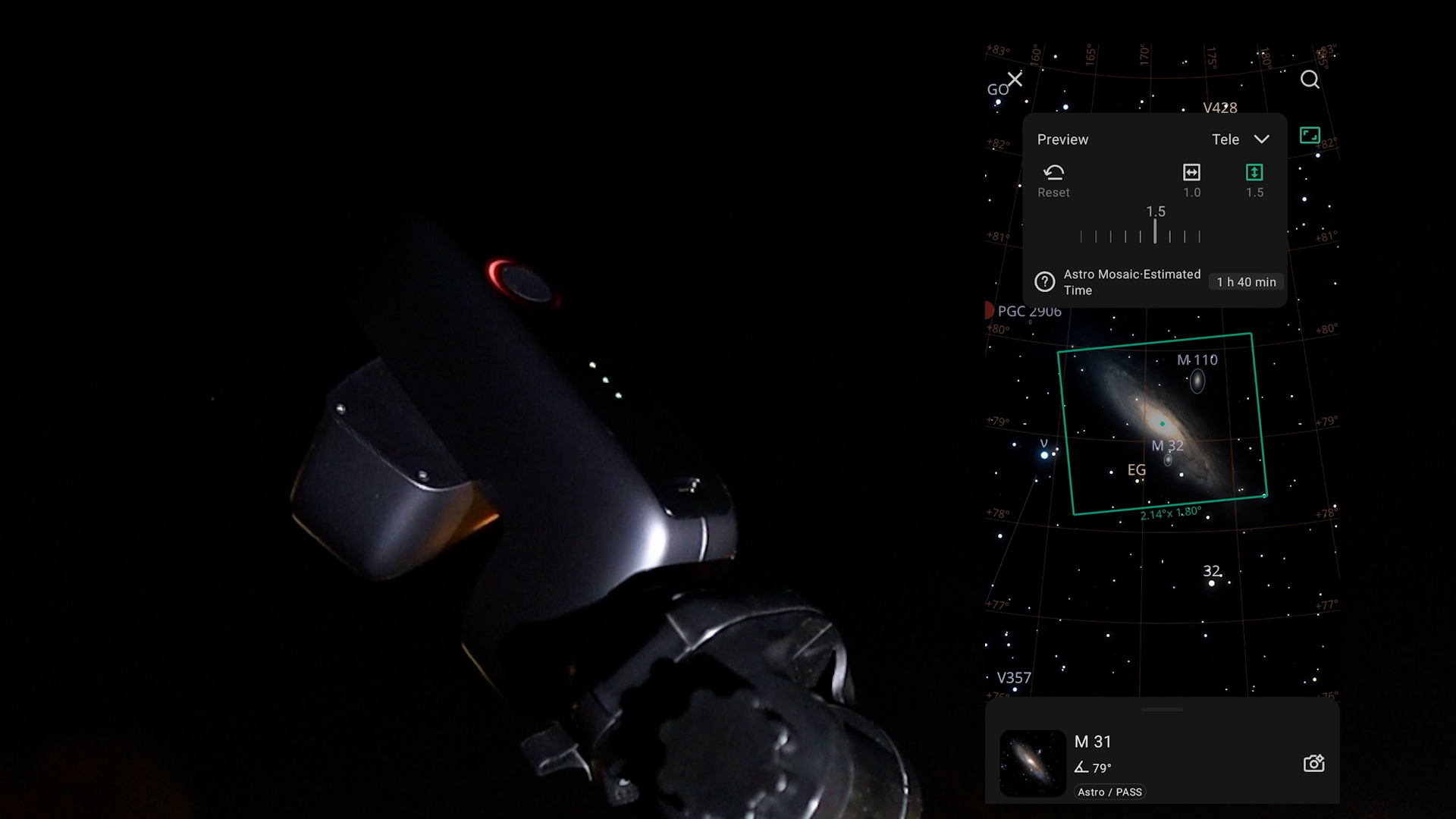
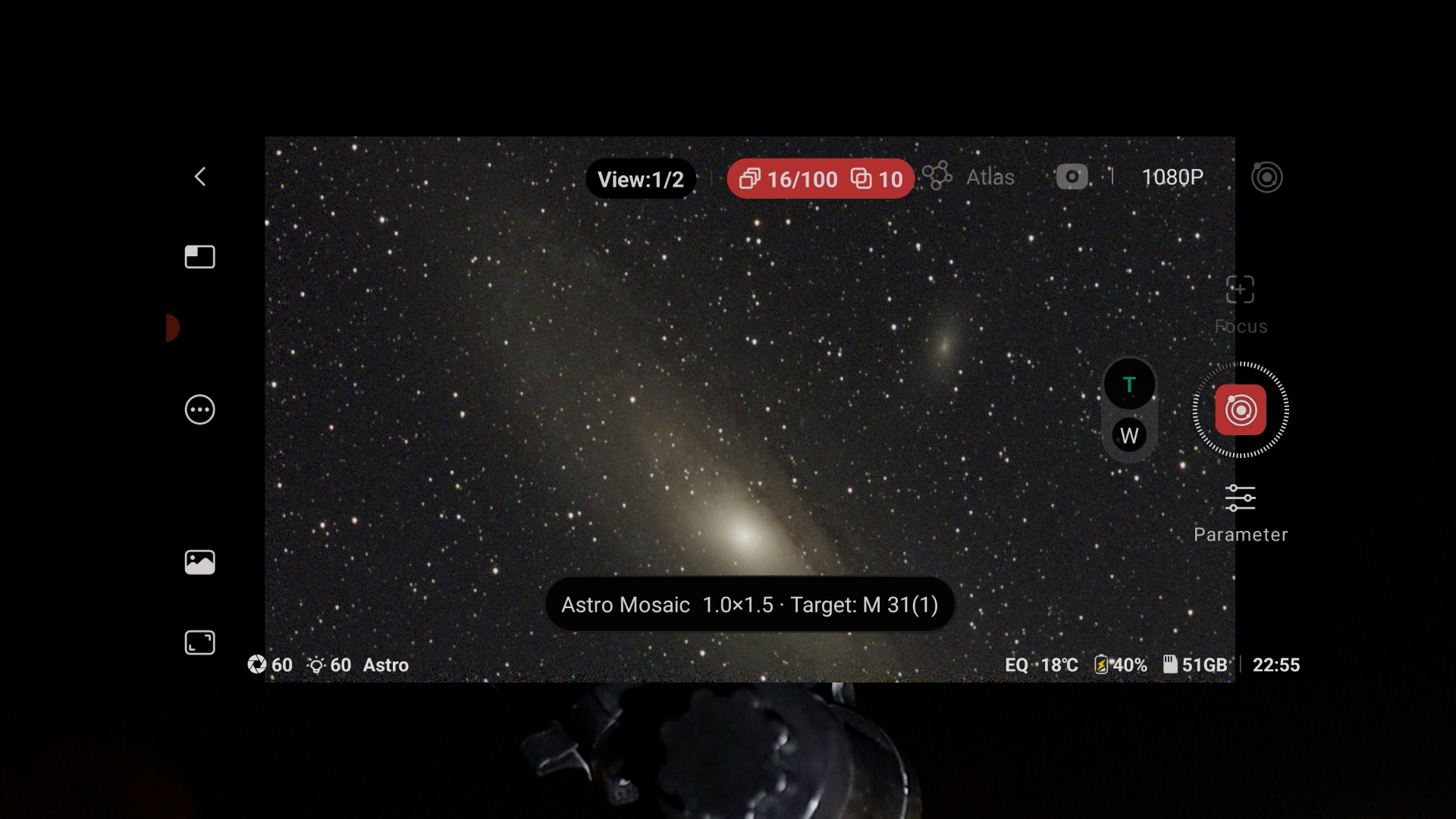
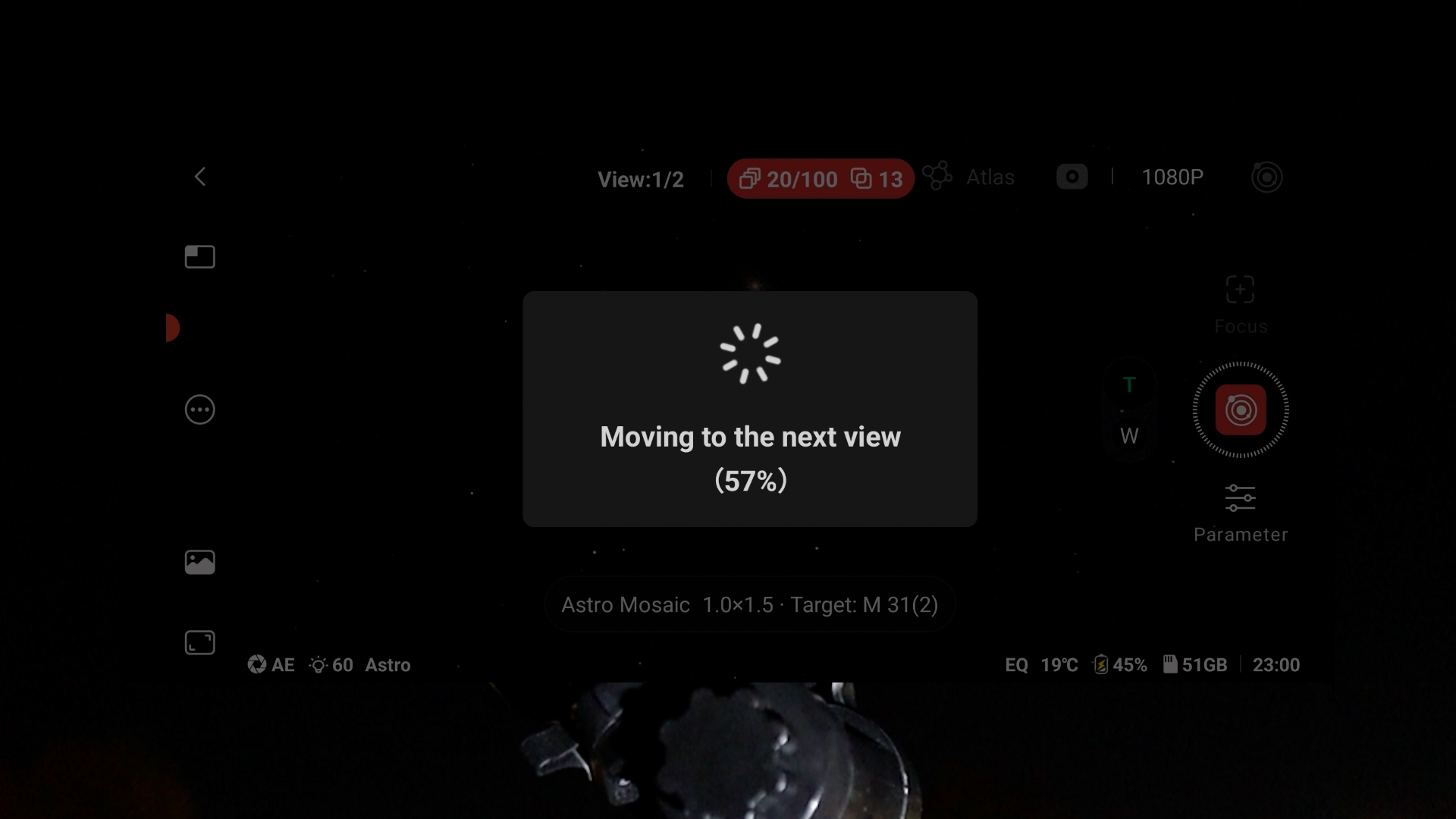
Both apps feature framing and mosaic modes that expand the field of view by up to 2×. This is especially useful for models with narrower native fields of view, like the Seestar S50, S30, and Dwarf Mini. However, creating a mosaic requires extra capturing time as the telescope must photograph multiple panels and stitch them together. In contrast, wide-field models like the Dwarf 3 and S30 Pro can frame large targets much faster without needing a mosaic. The S50 Pro and the Dwarflab Draco both sit comfortably in the middle: its larger sensors captures big objects like the Andromeda Galaxy in its native field of view, while still offering the option to expand further.
in-APP editing tools
Both apps include quick built-in editing tools—Dwarflab’s Stellar Studio and Seestar’s AI Enhance. While not a replacement for PixInsight or Photoshop, they clean up your photos by reducing background noise and shrinking stars, and more. Most importantly, both systems capture and process genuine, real-time light. The planes, clouds, and satellite trails that occasionally pass through your shots are living proof: there are no downloaded or AI-generated fake images here.
DSO images compared
Now, let’s take a look at the live-stacked and processed images captured with these smart telescopes. To keep comparisons fair, every image represents roughly 1 to 1.5 hours of total exposure time per target.
All test images were taken from my rooftop on the outskirts of Utrecht, the Netherlands under heavily light-polluted Bortle 7 urban skies.
Dwarf Mini
Despite having the narrowest field of view in this lineup, the Dwarf Mini punched well above its weight. Its built-in astro filter yields natural colors on broadband targets, while the dual-band filter pulls solid contrast out of emission nebulae like the Heart Nebula. Shooting 60-second exposures in EQ mode on a basic photo tripod produced slight star trailing, but quick post-processing—whether in PixInsight or Dwarflab’s Stellar Studio—easily cleaned up the urban light pollution and noise. For such a small, affordable scope, the results are genuinely impressive.
The Dwarf Mini is available at Dwarflab (WW), Agena Astro (USA/WW), High Point Scientific (USA/WW), and Astroshop (EU/WW).
Seestar S30
Like the Dwarf Mini, the Seestar S30 features a narrow field of view that often demands mosaic mode for larger deep-sky targets. At similar 1-to-1.5-hour exposure times, its raw stacked frames appeared slightly darker, and its lower 2MP resolution fell a bit flat compared to the Mini—likely because the Dwarf’s astro filter captures near-infrared light that the S30 misses. However, the S30’s dual-band filter still does a solid job suppressing urban light pollution to bring out emission nebulae.
The Seestar S30 is available at Seestar Global (WW), Seestar EU (EU), Agena Astro (USA), High Point Scientific (USA), and Astroshop (EU).
Dwarf 3
The Dwarf 3 justifies its higher price tag through a much wider field of view, letting you frame large targets in a single shot and saving significant imaging time compared to mosaic-dependent scopes like the S30 and Dwarf Mini. It also boasts the most versatile filter wheel in the lineup—featuring VIS for daytime, astro for near-infrared, and dual-band for emission nebulae. While 30-to-60-second EQ exposures on a basic tripod can yield minor star trailing, Dwarflab’s built-in star correction fixes it effortlessly. Even if pure resolution gains are subtle, the wide-field convenience and complete feature set make it a clear step up.
The Dwarf 3 is available at Dwarflab (WW), Agena Astro (USA/WW), High Point Scientific (USA/WW), and Astroshop (EU/WW).
Seestar S30 Pro
I’ve fallen in love with the Seestar S30 Pro thanks to its massive native field of view, which easily frames wide targets without wasting time on mosaics. When you do switch on mosaic mode, its Sony IMX585 sensor captures sweeping panoramas across several degrees—fitting massive target pairs like the Heart and Soul or Orion and Horsehead nebulae into a single seamless shot that once took astrophotographers months to plan. While pure resolution gains over rival scopes are subtle, the dual-band filter pulls excellent detail out of emission nebulae, and the Seestar app’s built-in AI editing suite cleans up contrast and noise effortlessly. Overall, that ultra-wide field of view makes the S30 Pro a standout performer that easily justifies its higher price tag. Beyond deep-sky imaging, it is also capable at capturing sweeping Milky Way shots and star trails, making it a fantastic portable option for nightscapes as well.
The Seestar S30 Pro is available at Seestar Global (WW), Seestar EU (EU), Agena Astro (USA/WW), High Point Scientific (USA/WW), and Astroshop (EU/WW).
Seestar S50


Despite now being discontinued, the Seestar S50 remains an intriguing standout for observers chasing fine detail. Its narrow field of view and dated IMX462 sensor demand mosaic mode for larger targets and EQ exposures max out at 30 seconds, but its 50mm aperture and 250mm focal length still deliver the sharper image details at a higher optical resolution as compared to other 30mm to 35mm telescopes in this lineup. Also, the extra focal reach pays off dramatically on smaller deep-sky targets like the Whirlpool Galaxy (M51) or when resolving tight structures within the Orion and Eastern Veil nebulae. If your priority is pulling maximum spatial detail out of smaller objects rather than framing sweeping wide-field vistas, the S50 is still a remarkably capable scope on the secondary market.
The Seestar S50 is DISCONTINUED
Seestar S50 Pro
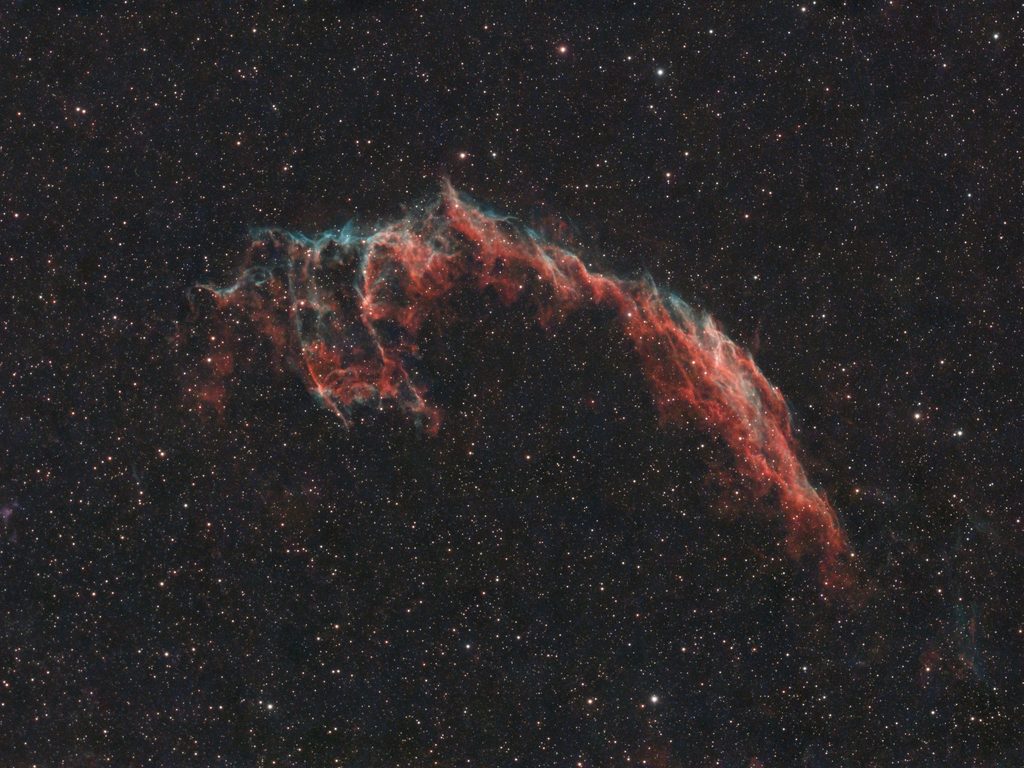
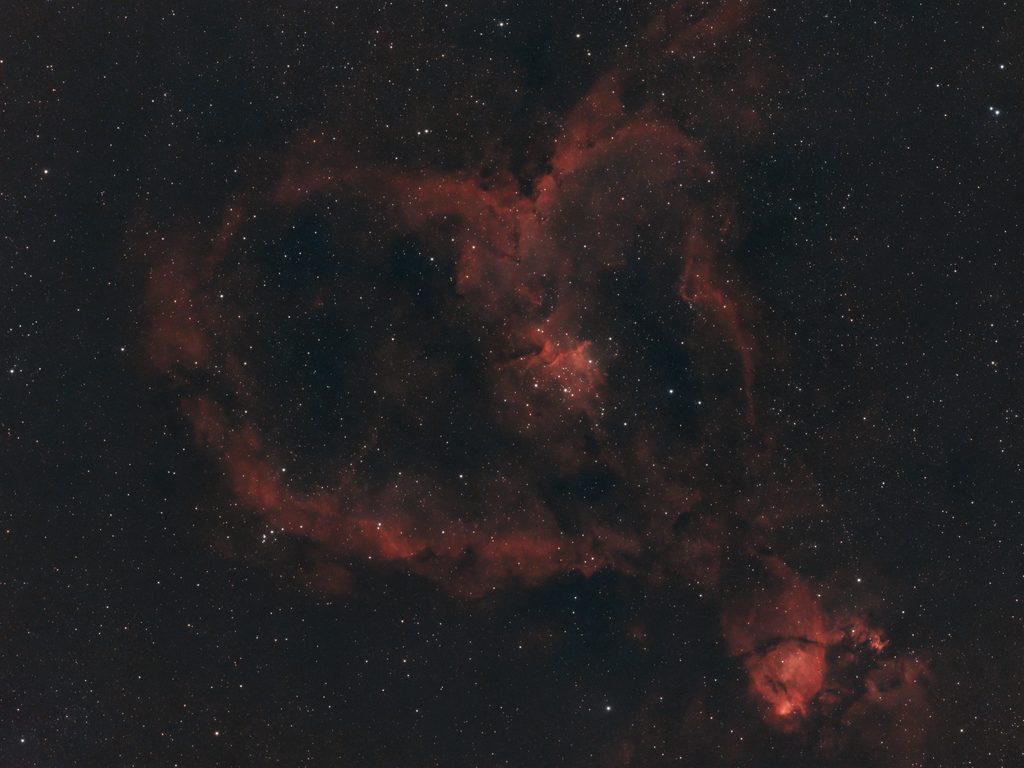
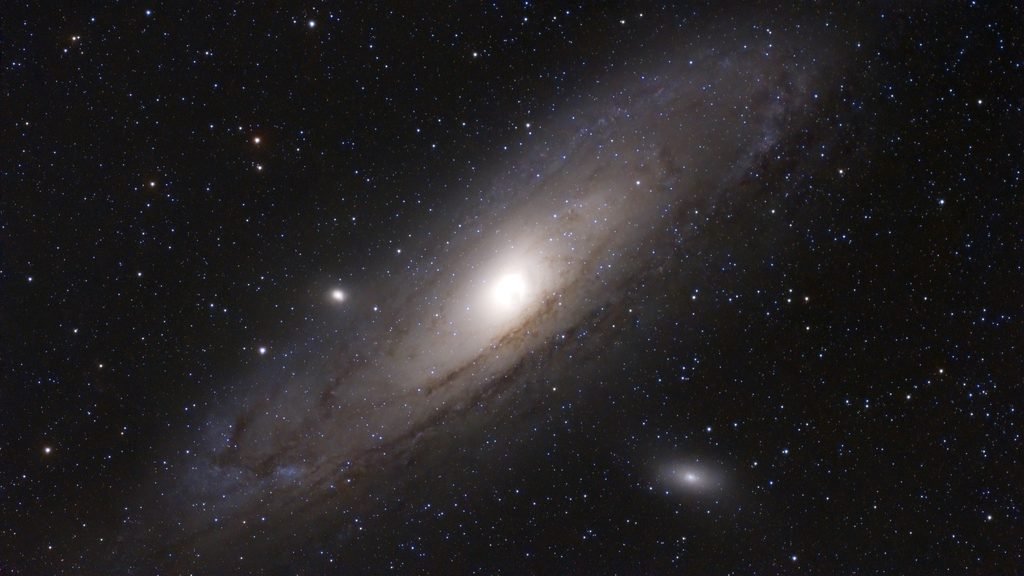
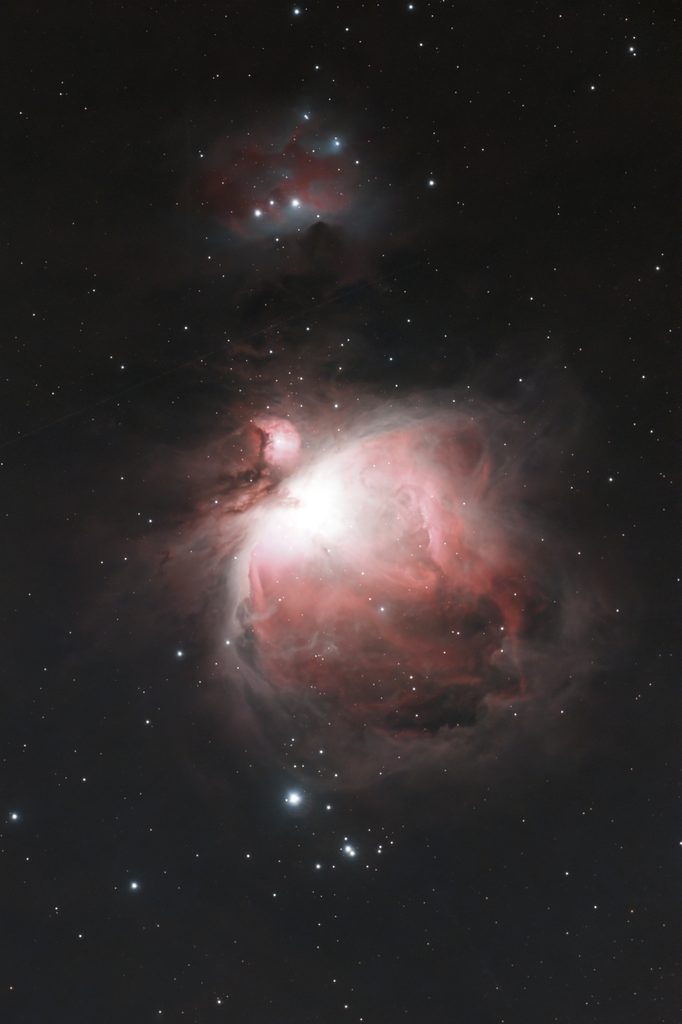
First light with the Seestar S50 Pro in early October 2026 immediately proved it is the exact upgrade the original S50 always needed—delivering superior optical sharpness, rock-steady 60-second EQ tracking without dropped frames, and seamless versatility for both deep-sky objects and widefield Milky Way or star trail shots, albeit at a higher price tag. Its upgraded optics and larger 4K sensor pull noticeably finer structural details out of deep-sky targets as compared to the 30mm to 35mm models, while the broader field of view makes framing much easier as compared to the original S50, requiring only mosaic mode for massive objects like the Heart Nebula. I fully processed all pictures inside the Seestar app using its new AI-Enhance suite across 1-to-1.5-hour integrations. The S50 Pro addresses every flaw of its predecessor, delivering a premium, refined experience that justifies its higher cost.
The Seestar S50 Pro is available at Seestar Global (WW), Seestar EU (EU), Agena Astro (USA/WW), High Point Scientific (USA/WW), and Astroshop (EU/WW).
Planets
None of these smart telescopes are built for serious planetary imaging. Even with the Seestar S50 or S50 Pro pointing at major planets like Jupiter or Saturn, you will mostly see their brighter moons surrounding a small, overexposed spot. Turning down the gain and exposure reveals a tiny planetary disc, but lacks surface detail—at the S50 Pro’s image scale of 2.30″/px, Jupiter spans only about 20 to 22 pixels across at opposition, while Saturn’s globe is a mere 8 to 9 pixels wide. Even the S50 Pro’s 260 mm focal length simply lacks the resolving power needed to separate cloud bands or ring gaps on a target that small. For true planetary detail, you need a dedicated telescope with a much longer focal length and larger aperture, as explained in this guide to the best planetary telescopes.
Filter combinations
🔍 Internal Filter Wheel Matrix
(No IR-Cut)
(Extended IR)
(Automated)
(Extended IR)
💡 Filter Types Explained (In Plain English)
| Filter Type | What It Does |
|---|---|
| Dark Filter | An internal shutter that blocks light to take test shots ("dark frames") and automatically wipe out background sensor noise. |
| UV/IR-Cut Filter | Blocks invisible light so daytime land and wildlife photos look natural instead of red or blurry. |
| Astro Broadband | Passes visible starlight plus near-infrared light to make faint galaxies and star clusters pop at night. |
| Duo-Band Filter | Cuts through city light pollution and moonlight, isolating emission gas (Hα & OIII) so nebulae show high contrast. |
| Solar Filter | An extreme filter that dims daylight by 99.999% to safely view and image the Sun. |
⚙️ How Each Model Handles Internal Filters
| Telescope Model | Internal Setup & Trade-offs |
|---|---|
| DWARF Mini | Has Dark, Astro Broadband, and Duo-Band filters, but lacks a UV/IR-Cut filter—giving daytime shots an unnatural reddish tint. |
| DWARF 3 | Includes UV/IR-Cut for clean daytime colors plus Astro Broadband and Duo-Band filters, but lacks an internal Dark filter (dark frames must be taken manually). |
|
Seestar Lineup (S30, S30 Pro, S50, S50 Pro) |
All four share an internal Dark filter, UV/IR-Cut filter, and Duo-Band nebula filter, but omit a dedicated Astro Broadband filter. |
| Dwarf Draco (Standard) | Features a 4-slot internal wheel with Dark, Broadband, Duo-Band, and a built-in Solar filter for automated, cap-free Sun viewing. |
| Dwarf Draco (SHO) | Replaces the internal solar slot with a second dual-band filter (SII + OIII) to capture SHO "Hubble Palette" nebulae, using an external filter for the Sun instead. |
Weight, size & battery life
⚖️ Weight, Dimensions, Storage & Battery Life
| Telescope Model | Weight | Dimensions (H × W × D) | Storage | Battery Life & Capacity |
|---|---|---|---|---|
| Seestar S30 | 1.65 kg | 21.0 × 14.0 × 8.0 cm | 64 GB | ~6 Hours (6,000 mAh) |
| Seestar S30 Pro | 1.65 kg | 21.0 × 14.0 × 8.0 cm | 128 GB | ~6 Hours (6,000 mAh) |
| Seestar S50 | 2.50 kg | 25.7 × 14.3 × 13.0 cm | 64 GB | ~6 Hours (6,000 mAh) |
| Seestar S50 Pro | 2.80 kg | 26.8 × 14.0 × 14.9 cm | 128 GB | ~9 Hours (10,000 mAh) |
| DWARF Mini | 0.84 kg (Featherweight) | 18.4 × 10.0 × 6.1 cm | 64 GB | ~5 Hours (7,000 mAh) |
| DWARF 3 | 1.30 kg | 22.2 × 14.2 × 6.5 cm | 128 GB | ~8 Hours (10,000 mAh) |
| Dwarf Draco (Standard / SHO) | 5.50 kg | 38.6 × 19.6 × 13.3 cm | 128 GB | ~5 Hours (10,000 mAh) |
💡 Power Note: All models charge via USB-C and support pass-through charging, meaning you can plug in a standard USB power bank to run them indefinitely during long all-night imaging sessions.
All of these smart telescopes are built for travel, but they differ in weight, footprint, and battery endurance. The DWARF Mini is the lightest option at under 1 kg with a 7,000 mAh battery (~4 hours). The DWARF 3, Dwarf Draco, and Seestar S50 Pro all feature large 10,000 mAh battery capacities—delivering up to 8, 5, and 9 hours of imaging respectively . The lower runtime on the Draco reflects the higher power draw of its active sensor cooler and heavier telescope setup. The DWARF 3, Seestar S30 Pro, Seestar S50 Pro, and Dwarf Draco all feature 128 GB of internal storage, while the Mini, S30 and discontinued S50 offer 64GB. Every model supports USB-C pass-through charging (e.g. with a powerbank or battery) for uninterrupted all-night sessions.
Final Verdict: Which Smart Telescope Wins?
Seestar S50 Pro
There is one clear winner in pure imaging performance: the Seestar S50 Pro. Combining an upgraded sensor with a larger 50mm aperture and 260mm focal length, it delivers the sharpest, most detailed images of the Moon, the Sun, and deep-sky objects. Its built-in 4K wide-angle camera brings automated 8K Milky Way panoramas, star trails, and nightscapes into the mix. It also features 2x framing mode for automated mosaic stitching on sprawling nebulae. While it comes at a higher price tag, its superior optical resolution and finer image scale translate into noticeably sharper photos.
Check Availability & Pricing:
Seestar S30 Pro
If you want the most versatile telescope for deep-sky imaging, the Seestar S30 Pro is the best all-rounder. It captures a wide field of view thanks to the IMX585 sensor paired with a 160mm focal length. A secondary widefield sensor powers genuinely useful Milky Way and star trail modes, while its 2x framing mode fits large targets like the Heart and Soul nebulae into automated mosaic shots. Combined with full daytime UV/IR filtering for daytime photography and videography, and a top-notch Seestar app, it hits the sweet spot. But if you like daytime photo and videography in landscape, the Dwarf 3 is a good alternative.
Check Availability & Pricing:
Dwarf Mini
When evaluating pure bang for your buck, the Dwarf Mini remains the undisputed value champion. Considering its ultra-compact size, sub-1kg weight, and aggressive price tag, it punches far above its weight in deep-sky performance and astrophoto output. I personally love its native landscape orientation compared to the Seestars, which all image in portrait mode. Just keep in mind that it lacks an internal UV/IR-cut filter, making daytime land photography prone to a reddish tint. If you want daytime photo- and videography, the S30 is the better option for you.
Check Availability & Pricing:
⭐ Special Mentions
Dwarf 3
Best overall choice if you want round-the-clock land and night imaging. It combines a native landscape sensor with a dedicated daytime VIS filter alongside Astro filters.
Seestar S30
An affordable entry-level unit with built-in UV/IR-cut filtering, making it a far better budget option for daytime viewing than the Dwarf Mini.
*Draco isn't mentioned here as it is still in pre-order with a release planned end 2026/early 2027.
Clear skies!
Wido.
@Wido's AstroForum
One Reply to “Best Budget to Mid-Range Smart Telescopes in 2026 – Seestar (S30, S30 Pro & S50 Pro) vs Dwarflab (DWARF 3, Mini, Draco)”